Create Job Posting
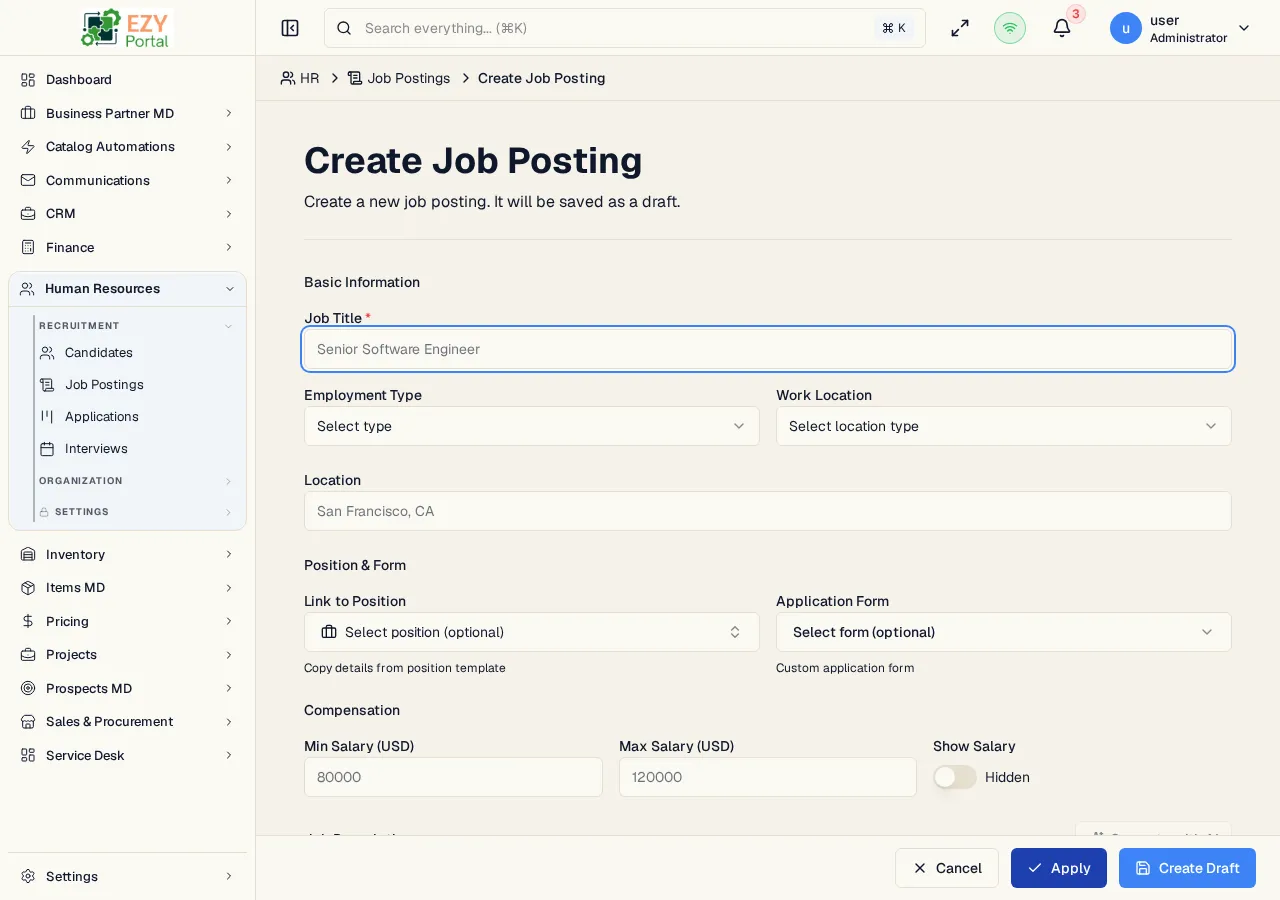
The Create Job Posting page is the full-page workflow for adding a new job listing. It is opened from HR → Recruitment → Job Postings → Create Job Posting and always creates the posting as Draft.
Accessing the Page
Section titled “Accessing the Page”- Route:
/hr/job-postings/new - Menu Path: HR → Recruitment → Job Postings → Create Job Posting
- Primary audience: HR users who can manage job postings.
Page Layout
Section titled “Page Layout”| Section | Purpose |
|---|---|
| Basic Information | Job title, employment type, work location, and location |
| Position and Form | Optional position template and application form schema links |
| Compensation | Salary range, currency, and salary visibility |
| Job Description | Candidate-facing description, responsibilities, requirements, and benefits |
| Settings | Headcount and optional closing date |
AI Job Description Helper
Section titled “AI Job Description Helper”The Job Description section includes Generate with AI. Enter a job title first, then use the helper to request generated job content in the current UI language. The generated result opens in a preview dialog with checkboxes for each section:
| Section | Applied to |
|---|---|
| Description | Description field |
| Responsibilities | Responsibilities field |
| Requirements | Requirements field |
| Benefits | Benefits field |
Only checked sections are copied into the form. Existing text in selected target fields is replaced when the generated sections are applied.
Save Behavior
Section titled “Save Behavior”| Action | Result |
|---|---|
| Create Draft / Save | Creates the draft posting and opens its detail page |
| Apply | Creates the draft posting and opens the new posting’s edit page |
| Cancel | Returns to the Job Postings list without creating a posting |
Validation
Section titled “Validation”- Job title is required.
- Minimum salary must be less than or equal to maximum salary.
- Currency must be a 3-letter code when provided.
- Headcount must be at least 1.
Related Pages
Section titled “Related Pages”- Job Postings — List and manage all postings
- Edit Job Posting — Update an existing posting
- Job Posting Detail — Review posting metrics and applications
- AI Model Settings — Configure HR AI operations