Business Partners
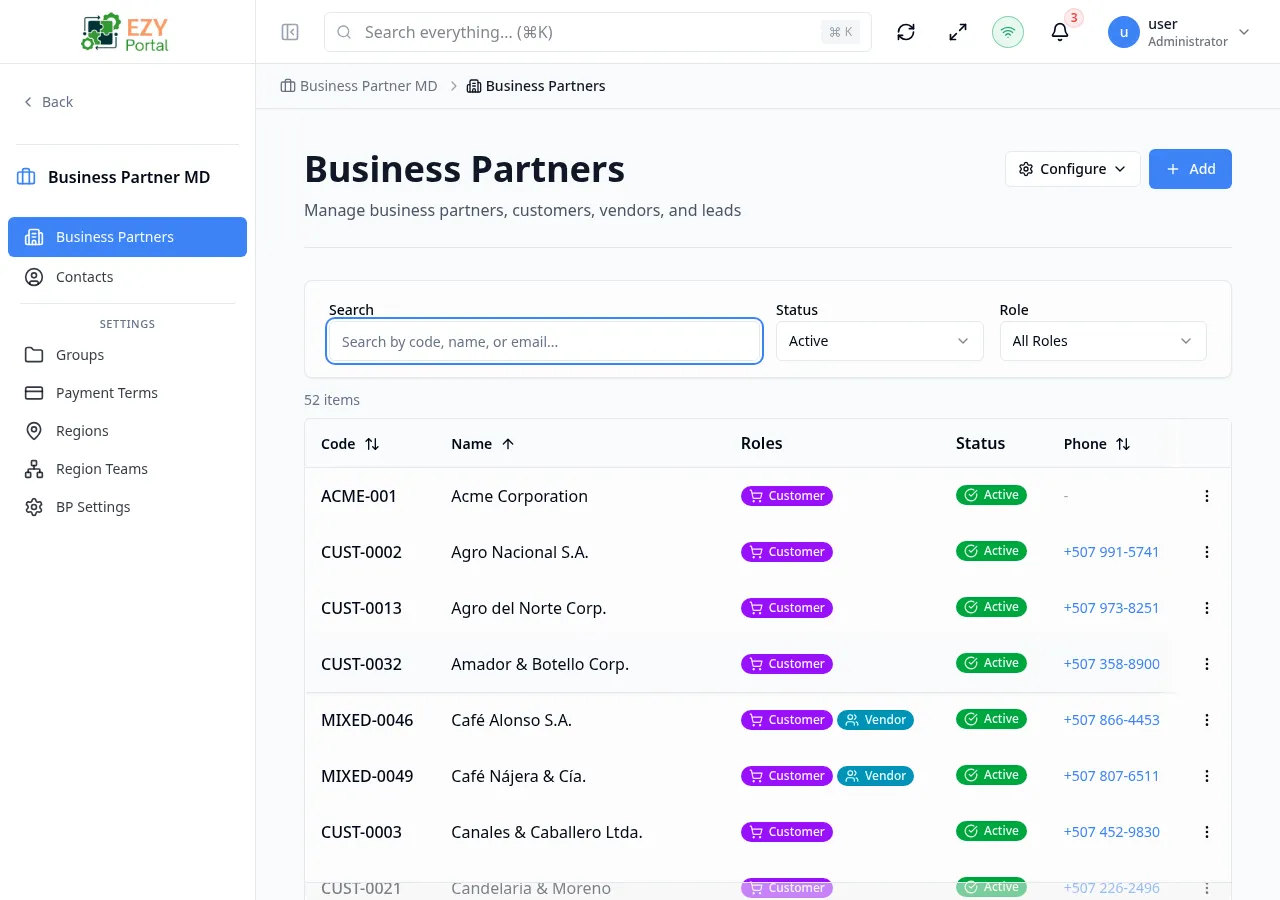
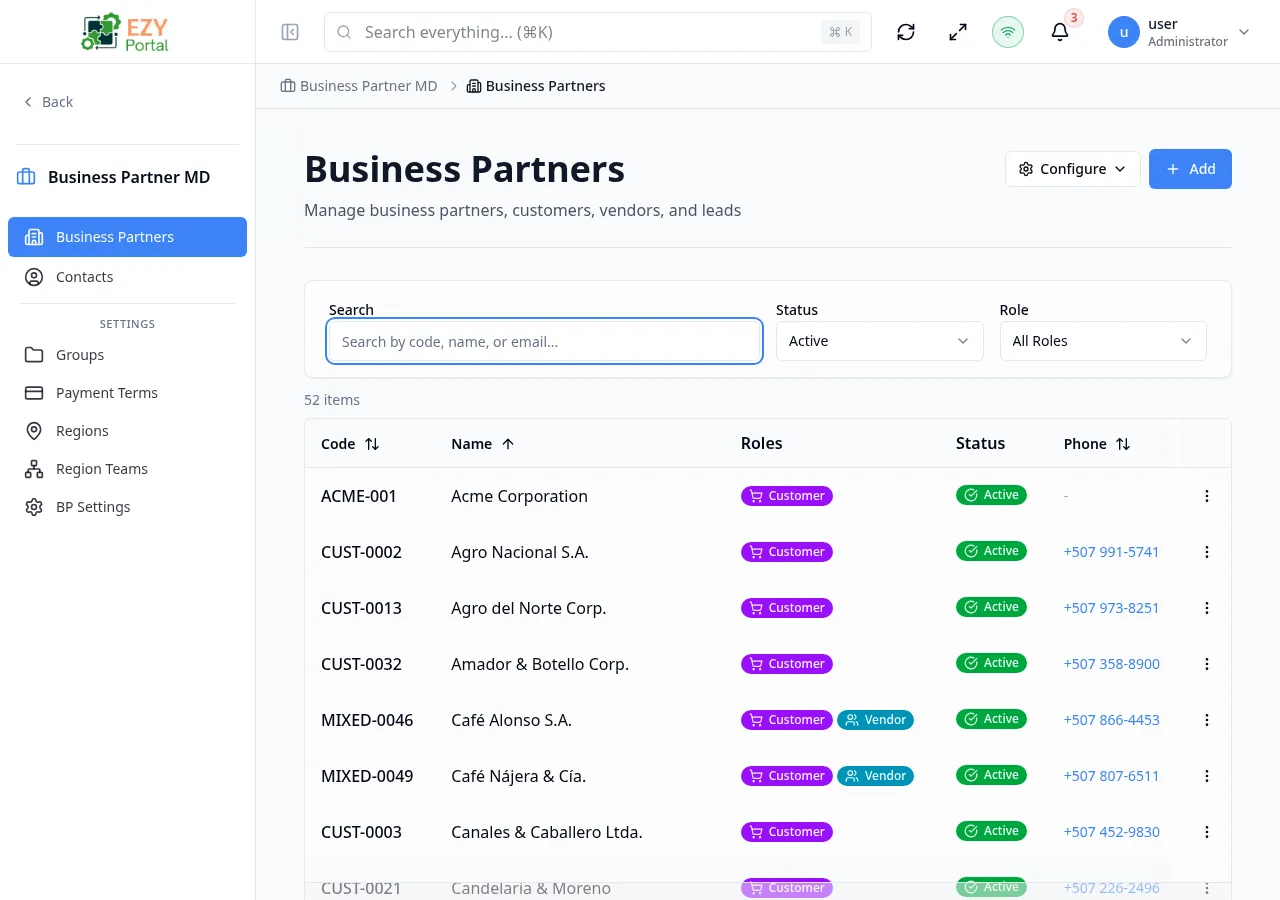
The Business Partners list page displays all business partners in the system with advanced filtering, configurable columns, and inline actions. Business partners can hold multiple roles — Customer, Vendor, Lead, and Partner — simultaneously.
Accessing the Page
Section titled “Accessing the Page”Navigate to Business Partners in the sidebar, or go to /business-partners.
List Columns
Section titled “List Columns”The table supports 22 columns with configurable visibility. Click the Configure (gear) button to show or hide columns.
| Column | Default Visible | Sortable | Description |
|---|---|---|---|
| Code | Yes | Yes | Unique business partner code |
| Name | Yes | Yes | Business partner display name |
| Roles | Yes | No | Role badges (Customer, Vendor, Lead, Partner) |
| Status | Yes | Yes | Status badge — Active, Inactive, Prospect, or Blocked |
| Phone | Yes | Yes | Primary phone number |
| Yes | Yes | Primary email address | |
| Contact Name | No | No | Primary contact’s full name |
| Contact Email | No | No | Primary contact’s email |
| Contact Mobile | No | No | Primary contact’s mobile number |
| Tags | No | No | Tags assigned to the partner |
| Industry | No | No | Industry classification |
| Segment | No | No | Market segment |
| Tax Exempt | No | No | Whether the partner is tax-exempt |
| On Hold | No | No | Whether the partner is on hold |
| Price List | No | No | Default price list code |
| Payment Terms | No | No | Assigned payment terms |
| Region | No | No | Assigned region |
| Lead Source | No | No | Lead source |
| Prospect ID | No | No | Linked prospect identifier |
| Account Balance | No | Yes | Outstanding balance |
| Created At | No | Yes | Creation date |
| Updated At | No | Yes | Last modification date |
Status Values
Section titled “Status Values”| Status | Description |
|---|---|
| Active | Partner can transact normally |
| Inactive | Partner is deactivated |
| Prospect | Partner is a sales prospect (not yet a full customer) |
| Blocked | Partner is blocked from transactions |
Role Values
Section titled “Role Values”| Role | Description |
|---|---|
| Customer | Purchases goods or services |
| Vendor | Supplies goods or services |
| Lead | Sales prospect in the pipeline |
| Partner | Business partner or collaborator |
Filtering
Section titled “Filtering”The list supports 22+ filter criteria, accessible from the filter panel above the table:
| Filter | Type | Description |
|---|---|---|
| Search | Free text | Searches across code, name, and email |
| Status | Dropdown | Active, Inactive, Prospect, Blocked |
| Role | Dropdown | Customer, Vendor, Lead, Partner |
| Region | Entity select | Filter by assigned region |
| Owner | User select | Filter by assigned owner/user |
| Group | Entity select | Filter by group membership |
| Not in Group | Entity select | Exclude members of a specific group |
| Lead Source | Multi-select | Filter by lead source |
| Prospect ID | Text | Filter by linked prospect |
| Tags | Multi-select | Filter by tags |
| Industries | Multi-select | Filter by industry |
| Segments | Multi-select | Filter by segment |
| Tax Exempt | Toggle | Show tax-exempt or non-exempt |
| Has Email | Toggle | Show partners with/without email |
| Has Phone | Toggle | Show partners with/without phone |
| Price List | Text | Filter by price list code |
| Payment Terms | Entity select | Filter by payment terms |
| On Hold | Toggle | Show on-hold or active partners |
| Has Balance | Toggle | Show partners with outstanding balance |
| Created From/To | Date range | Filter by creation date |
| Updated From/To | Date range | Filter by last update date |
URL parameters (?role=customer&status=active) are read on initial load, then cleared from the URL.
Sorting
Section titled “Sorting”Click any sortable column header to sort:
- First click — Ascending (A→Z, 0→9)
- Second click — Descending (Z→A, 9→0)
- Third click — Remove sort
Hold Shift while clicking additional headers for multi-column sort.
Default sort: Name ascending.
Pagination
Section titled “Pagination”The list uses a Load More pattern by default:
- Page size: 50 records per load
- Load More button at the bottom loads the next batch
- Total count displays above the table
Actions
Section titled “Actions”Page Actions
Section titled “Page Actions”| Action | Description |
|---|---|
| Configure (gear) | Column visibility and filter layout configuration |
| Create | Opens the Create Business Partner page (requires canCreateBP permission) |
Row Actions
Section titled “Row Actions”Each row has a dropdown menu:
- View — Navigate to the Business Partner Detail page
- Edit — Navigate to the Edit Business Partner page
- Delete — Remove the business partner after confirmation
Click any row to open the detail page.
Deleting a Business Partner
Section titled “Deleting a Business Partner”- Click the dropdown menu on a row and select Delete
- A confirmation dialog warns that the action is permanent
- Click Delete to confirm — the list reloads without the deleted partner
Deletion is not available for business partners with linked transactions.
Related Pages
Section titled “Related Pages”- Create Business Partner — Create a new business partner
- Business Partner Detail — View a specific business partner
- Edit Business Partner — Edit an existing business partner
- Contacts — Manage business partner contacts
- Groups — Organize business partners into groups
- Teams — Manage region team assignments