UOM Groups
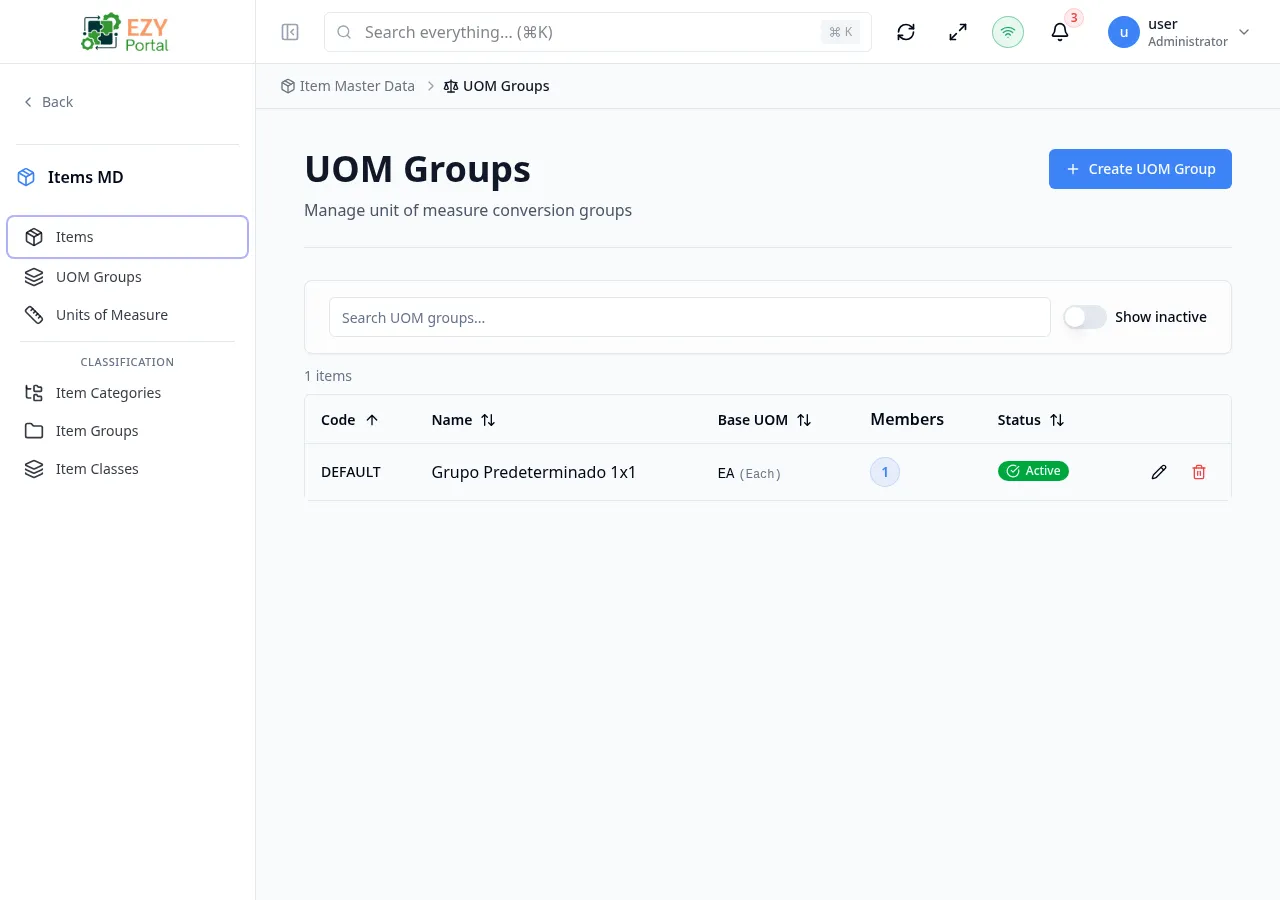
The UOM Groups page manages groups of units of measure with conversion factors. Each group has a base UOM and member UOMs with defined conversion factors relative to the base.
Accessing the Page
Section titled “Accessing the Page”- Route:
/items/uom-groups - Legacy alias:
/items/uomGroups - Menu Path: Item Master Data → UOM Groups
Table Columns
Section titled “Table Columns”| Column | Description | Default Visible | Sortable |
|---|---|---|---|
| Code | Unique group code | Yes | Yes |
| Name | Group display name | Yes | Yes |
| Base UOM | Primary unit of measure | Yes | No |
| Members | Number of member UOMs | Yes | No |
| Status | Active/Inactive badge | Yes | No |
| Actions | Edit, Delete buttons | Yes | No |
Filtering
Section titled “Filtering”| Filter | Description |
|---|---|
| Search | Search by code or name |
| Show Inactive | Toggle to include inactive groups |
Pagination
Section titled “Pagination”Uses load-more pagination with a default page size of 10.
Actions
Section titled “Actions”| Action | Permission | Description |
|---|---|---|
| Create UOM Group | Create UOM Group | Open create dialog |
| Edit | Edit UOM Group | Open edit dialog with members tab |
| Delete | Delete UOM Group | Delete the group (cannot be undone) |
Create / Edit UOM Group Dialog
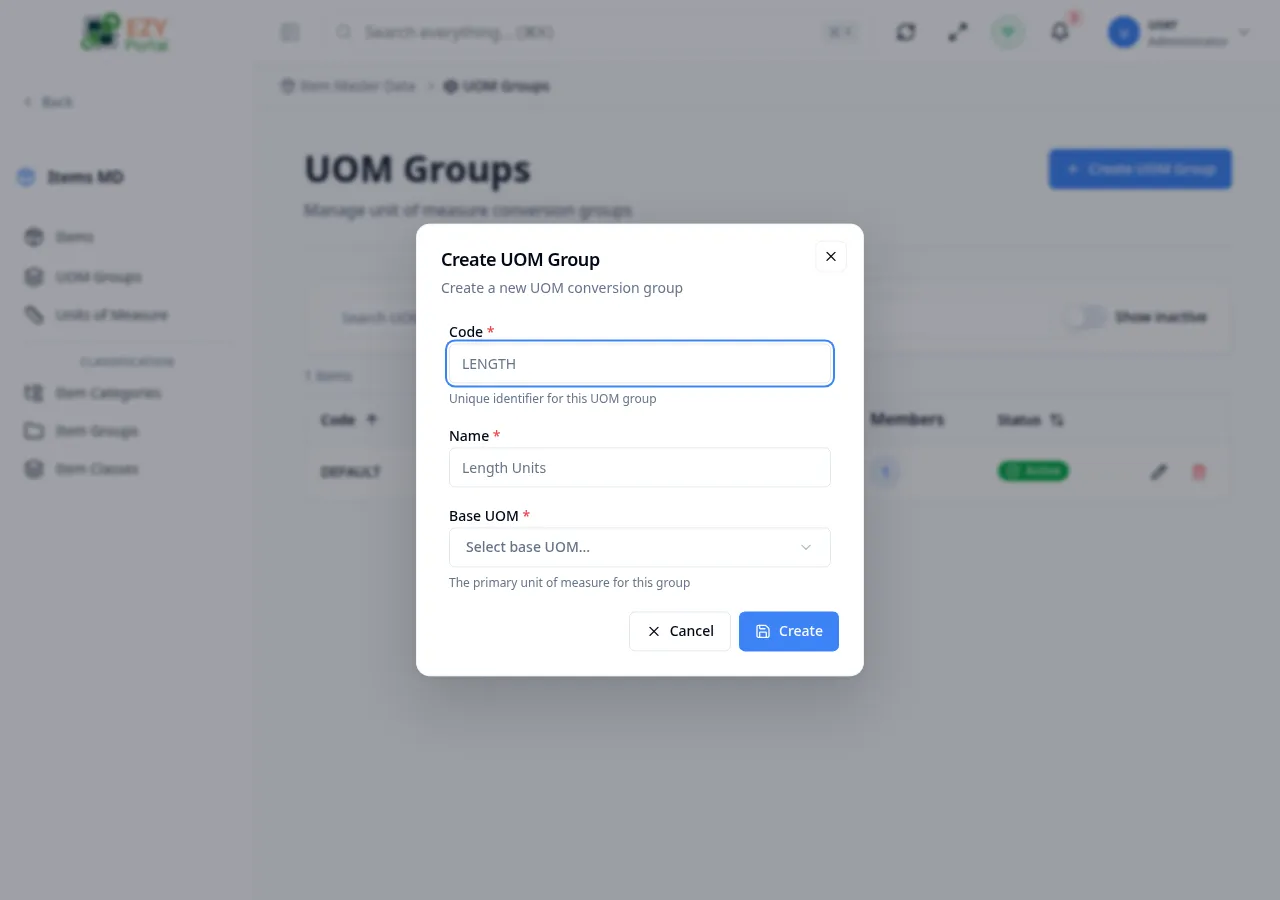
Section titled “Create / Edit UOM Group Dialog”The dialog has two tabs: Details and Members.
Details Tab
Section titled “Details Tab”| Field | Required | Type | Description | Default | Validation |
|---|---|---|---|---|---|
| Code | Yes | Text | Unique identifier | — | Max 50 chars, read-only after creation |
| Name | Yes | Text | Display name | — | Max 100 chars |
| Base UOM | Yes | Entity Select | Primary unit of measure | — | Read-only after creation |
| Active | No | Switch | Active status | true | Inactive groups are hidden from selection |
Members Tab
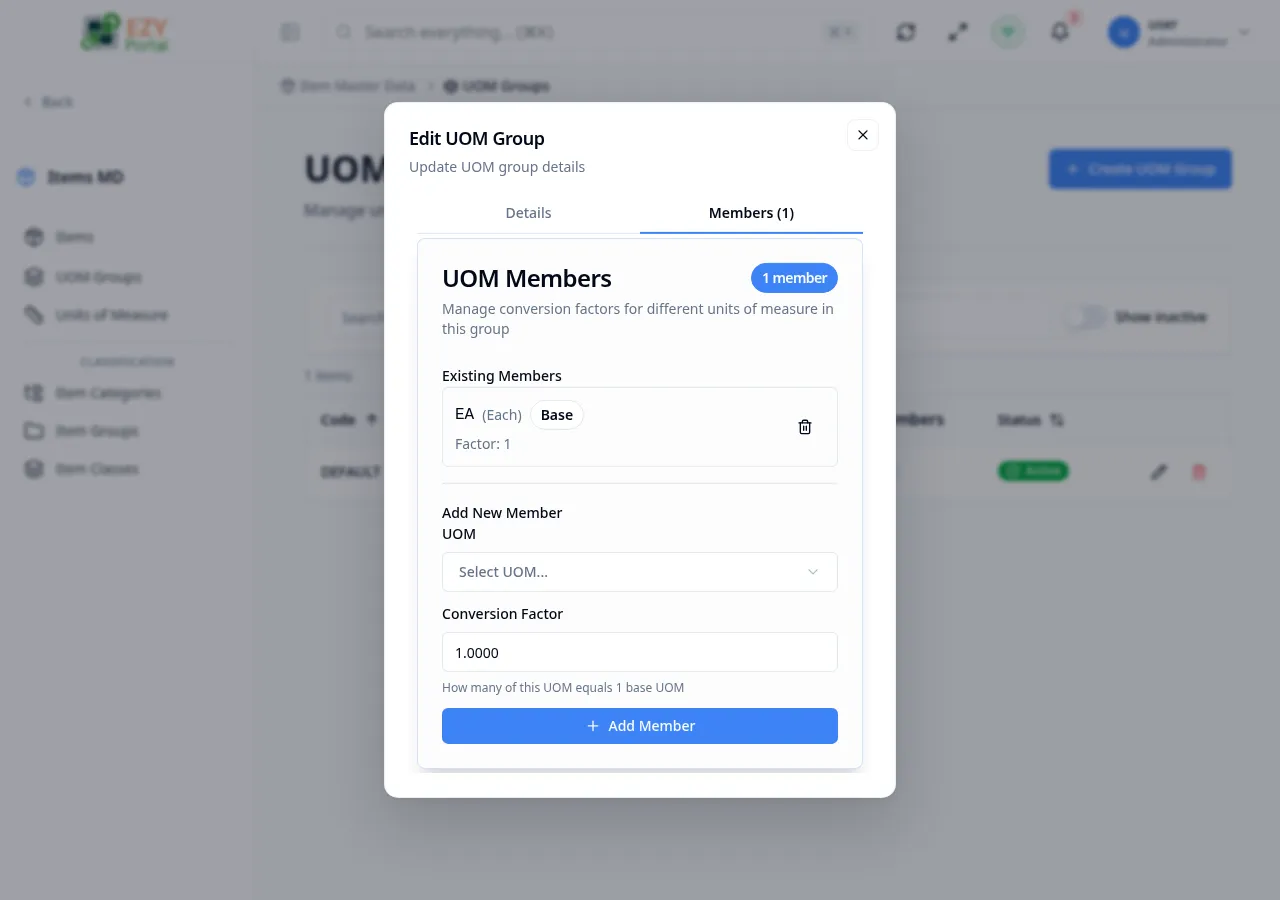
Section titled “Members Tab”Manage UOM members within the group. Each member defines a conversion factor:
| Field | Required | Type | Description |
|---|---|---|---|
| UOM | Yes | Entity Select | Select a unit of measure |
| Conversion Factor | Yes | Number | How many of this UOM equals 1 base UOM |
The base UOM is displayed with a factor of 1 and cannot be removed.
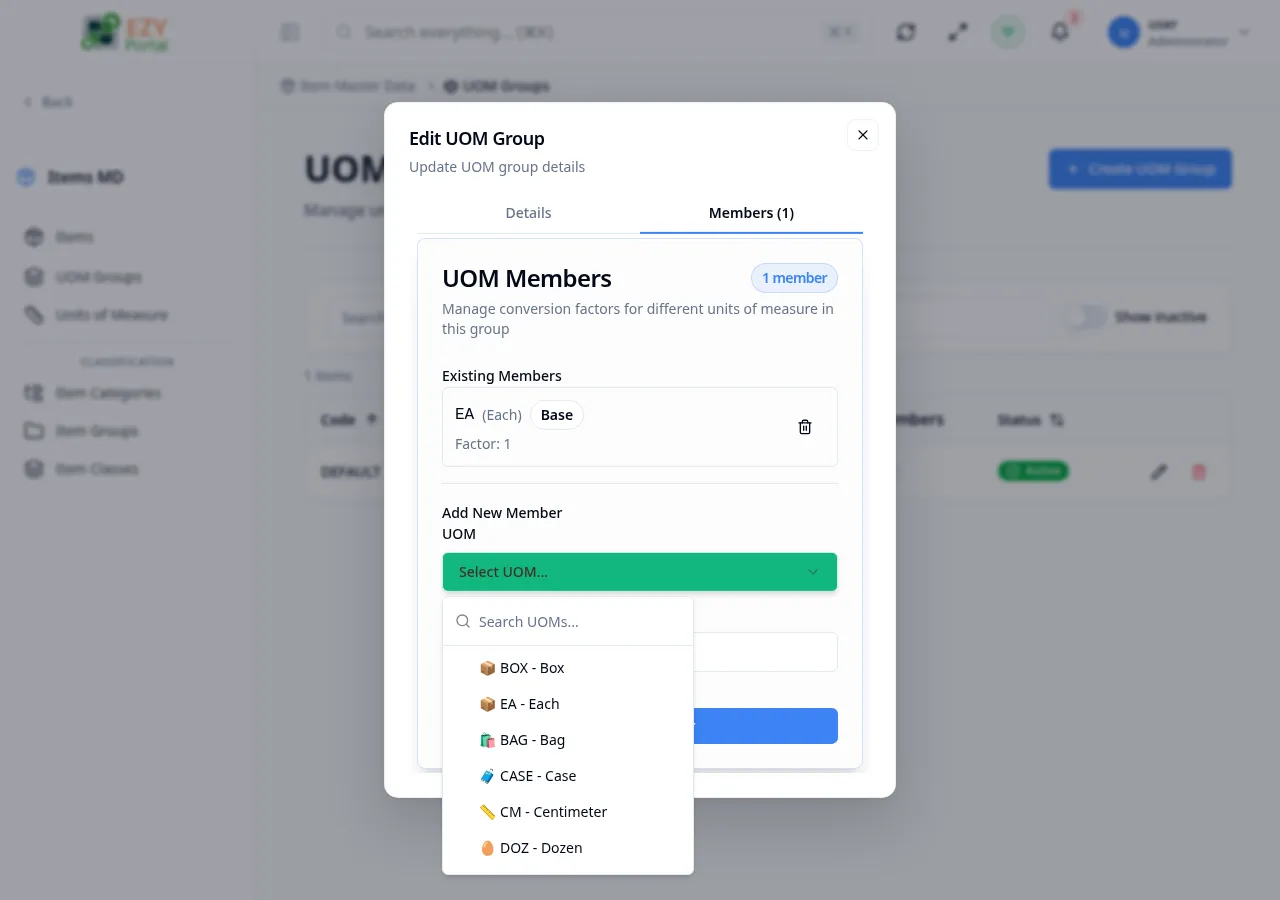
To add a member, open the UOM picker, choose a unit, enter the conversion factor, and click Add Member.
Messages
Section titled “Messages”| Event | Message |
|---|---|
| Create success | UOM group created successfully |
| Update success | UOM group updated successfully |
| Delete success | UOM group deleted successfully |
| Member added | Member added successfully |
| Member removed | Member removed successfully |