Data Monitoring Settings Overview
Data Monitoring Settings gives administrators operational visibility into tenant and platform behavior. The pages in this group help investigate who changed data, what integrations are active, which events are flowing, how storage is used, and which records are recoverable from trash. This sub-module is used primarily by tenant administrators and system administrators.
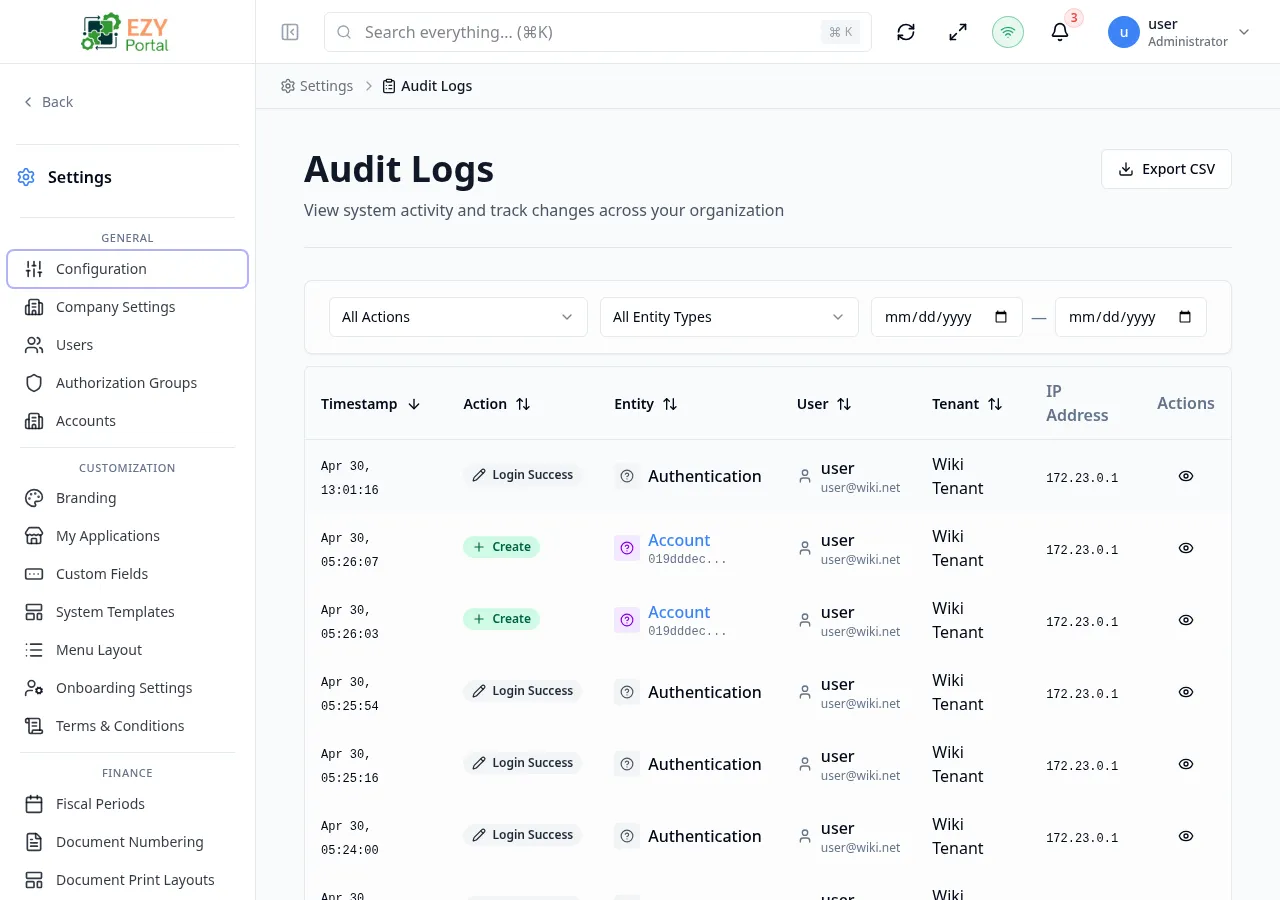
Accessing the Page
Section titled “Accessing the Page”- Menu Path: Settings → Data Monitoring
- Primary audience: Tenant administrators; some pages are also accessible to system administrators.
What you can do here
Section titled “What you can do here”- Review a full trail of user and system changes for compliance and troubleshooting via Audit Logs.
- Track tenant user activity and operational events through the Activity page.
- Manage tenant API keys for integration governance.
- Check file and attachment storage utilization on the Storage page.
- Restore or permanently delete records from Trash.
Pages in this group
Section titled “Pages in this group”| Page | Purpose |
|---|---|
| API Keys | Create and manage tenant API keys for external integrations. |
| Audit Logs | Review a chronological trail of changes made by users and the system. |
| Activity | Track user and operational activity within the tenant. |
| Storage | Review file and attachment storage usage. |
| Trash | Restore or permanently delete soft-deleted records. |
Common tasks
Section titled “Common tasks”- Open Settings and expand the Data Monitoring group in the sidebar.
- Use Audit Logs to investigate unexpected data changes — filter by user, date range, or entity type.
- Go to Trash to recover a record that was deleted by mistake, or to permanently purge records no longer needed.
- Review API Keys before revoking access for a departed team member or integration partner.
- Individual pages appear only when the signed-in user has the required administrative role and the deployment mode supports the feature.
- Account administrators have access to account-scoped audit and activity pages where allowed.
- Audit log entries are immutable; they cannot be edited or deleted by any role.