Tax Configuration
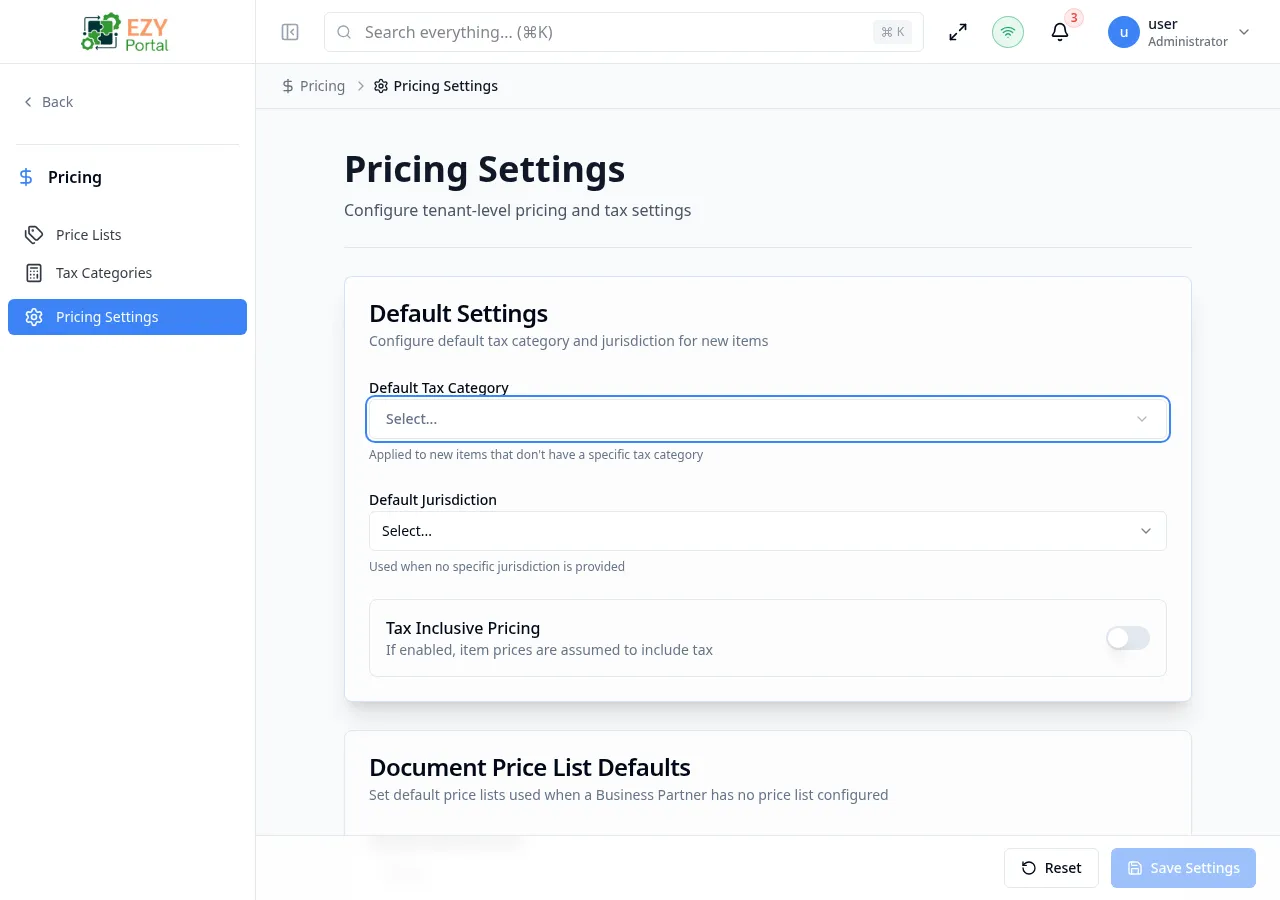
The Tax Configuration page lets administrators configure the Pricing & Tax module. Settings are organized into three cards: Default Settings, Document Price List Defaults, and Rounding Configuration.
Accessing Settings
Section titled “Accessing Settings”Navigate to Pricing & Tax → Tax Configuration in the sidebar, or go to /pricing-tax/settings/tax-config.
Only users with admin permissions can modify settings. Non-admin users see all fields as read-only.
Page Actions
Section titled “Page Actions”| Action | Description |
|---|---|
| Save Settings | Saves only the sections that were modified. Disabled when no changes are detected. |
| Reset to Defaults | Reverts all fields back to the last saved values. |
Configuration Cards
Section titled “Configuration Cards”Default Settings Card
Section titled “Default Settings Card”
Configures the default tax category and jurisdiction applied to new items and documents.
Three configuration fields:
- Default Tax Category — Dropdown of active tax categories. Applied to new items that don’t have a specific tax category.
- Default Jurisdiction — Dropdown of available jurisdictions. Used when no specific jurisdiction is provided.
- Tax Inclusive Pricing — Toggle. If enabled, item prices are assumed to include tax.
Document Price List Defaults Card
Section titled “Document Price List Defaults Card”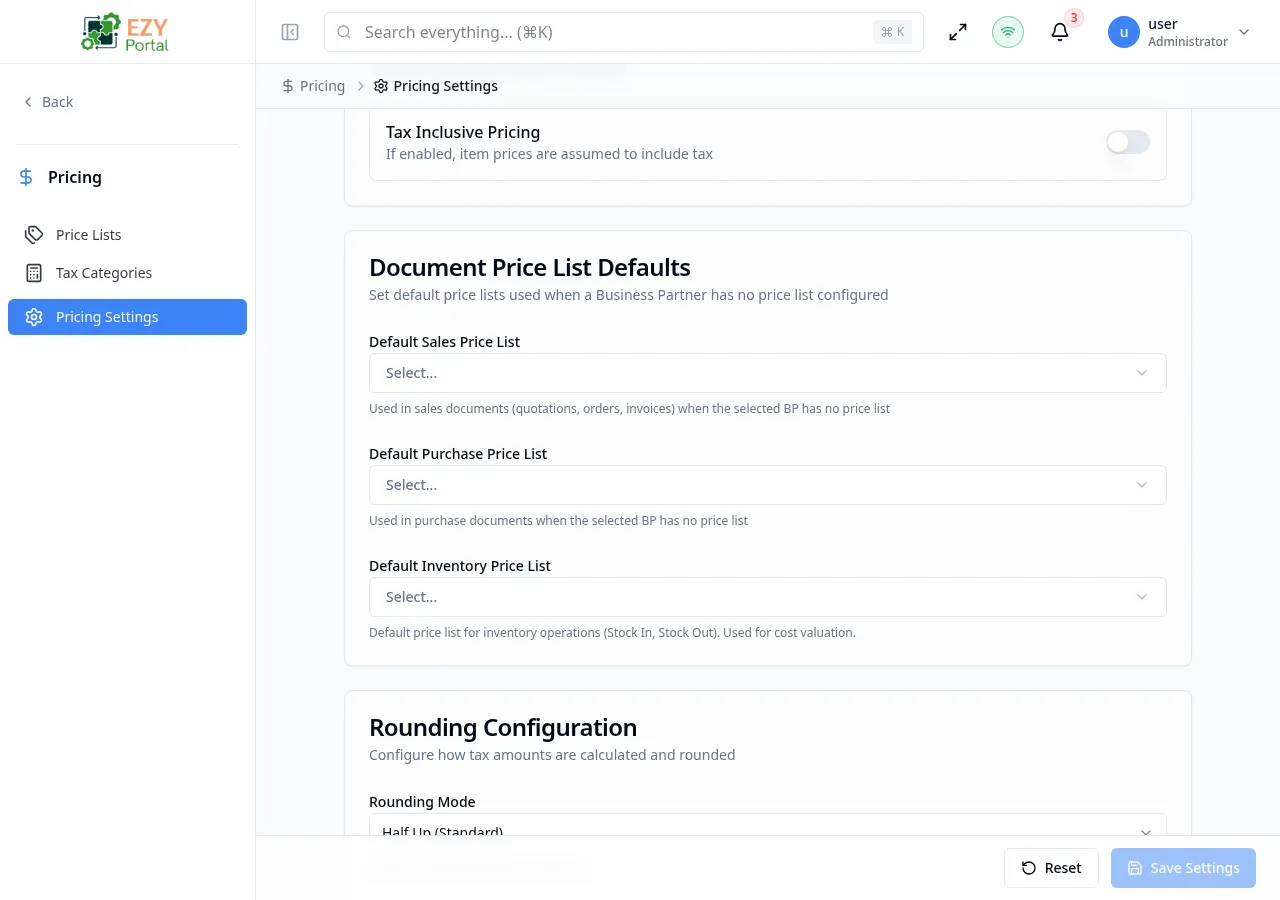
Sets default price lists used when a Business Partner has no price list configured.
Three configuration fields:
- Default Sales Price List — Used in sales documents (quotations, orders, invoices)
- Default Purchase Price List — Used in purchase documents
- Default Inventory Price List — Used for inventory operations (Stock In, Stock Out) and cost valuation
Rounding Configuration Card
Section titled “Rounding Configuration Card”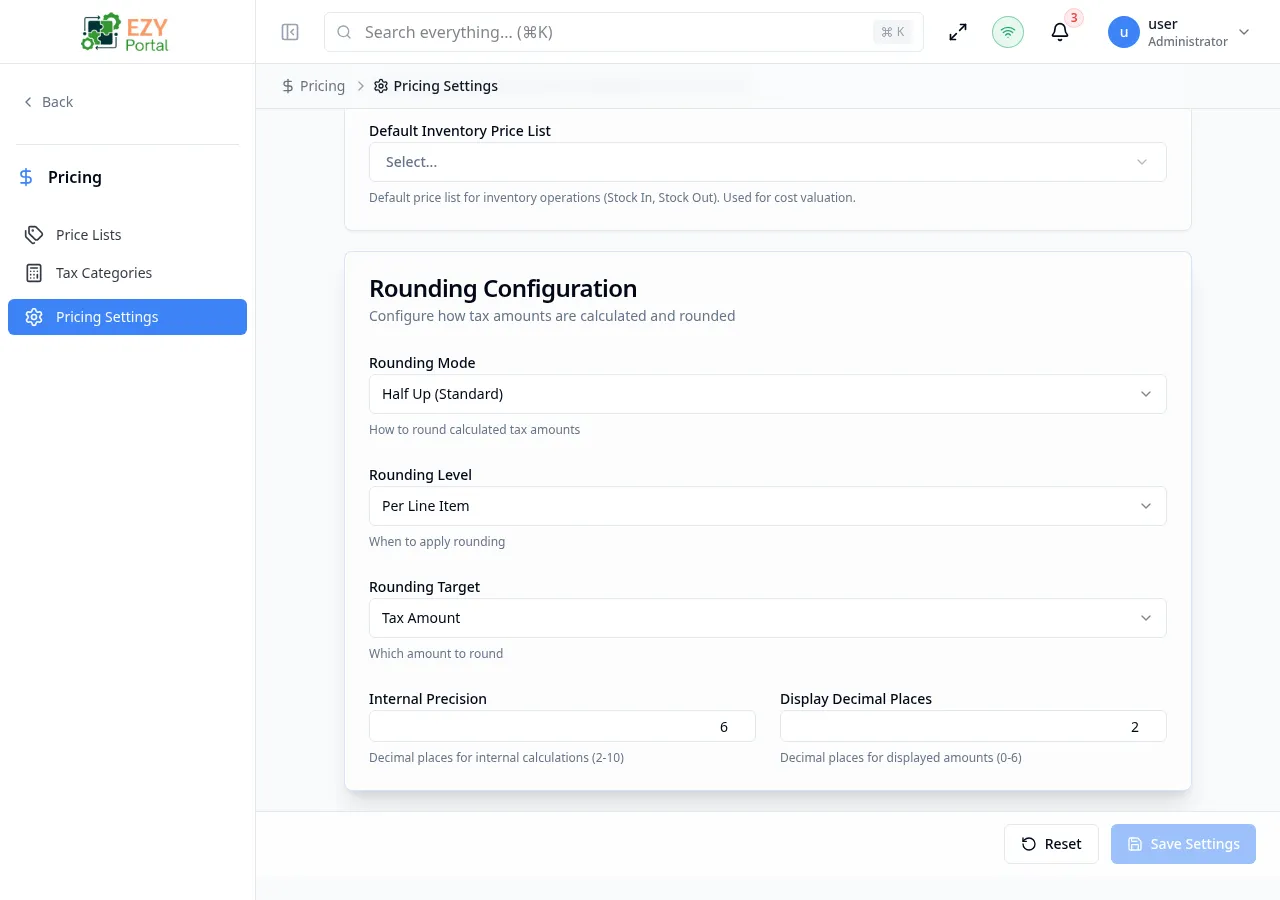
Configures how tax amounts are calculated and rounded.
Five configuration fields:
-
Rounding Mode — How to round calculated tax amounts:
- Half Up (Standard) — Rounds towards the nearest neighbor, with halves rounded up
- Down (Truncate) — Always rounds towards zero
- Up (Ceiling) — Always rounds away from zero
- Half Even (Banker’s) — Rounds towards the nearest neighbor, with halves rounded to the even number
-
Rounding Level — When to apply rounding:
- Per Line Item — Round on each individual line
- Document Total — Round on the document total only
-
Rounding Target — Which amount to round:
- Tax Amount — Round the tax portion
- Net Amount — Round the net (pre-tax) portion
- Gross Amount — Round the total (tax-inclusive) amount
-
Internal Precision — Decimal places for internal calculations (2–10). Default: 6.
-
Display Decimal Places — Decimal places for displayed amounts (0–6). Default: 2.
Calculation Behavior Notes
Section titled “Calculation Behavior Notes”- Tax calculations use your configured defaults when line-level values are not explicitly provided.
- Exempt tax categories produce zero tax in calculation results.
- Jurisdiction-aware rates can vary by region and effective date.
- If no tenant-specific configuration exists yet, the module uses safe defaults until settings are saved.
Related Pages
Section titled “Related Pages”| Page | Route | Description |
|---|---|---|
| Price Lists | /pricing-tax/price-lists | Manage price lists |
| Tax Categories | /pricing-tax/tax-categories | Manage tax classifications |