Configuration
The Configuration page is the tenant control panel for capabilities that affect all users. It groups feature flags by category, lets administrators enable or disable those flags, and provides language controls for supported portal languages. When local login is enabled, MFA policy settings are shown on the same page.
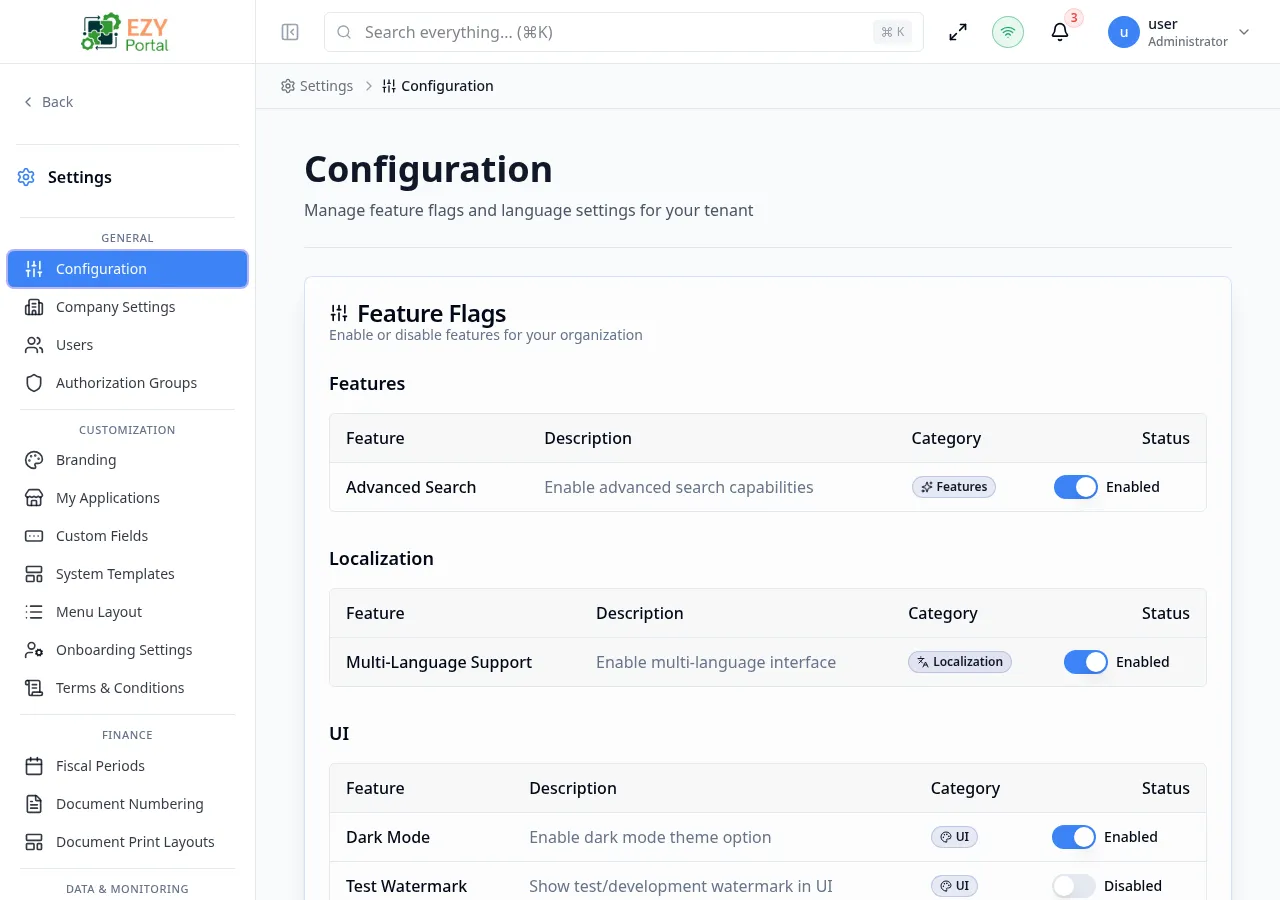
Accessing the Page
Section titled “Accessing the Page”- Route:
/configuration - Menu Path: Settings → General → Configuration
- Primary audience: Tenant administrators and other users with the required admin role.
What you can do here
Section titled “What you can do here”- Review feature flags by category and turn tenant capabilities on or off.
- Set the default tenant language.
- Choose which interface languages are available to users.
- Refresh the page after feature flag changes when the portal indicates that a reload is required.
- Configure MFA policy options when local login is available for the tenant.
Common tasks
Section titled “Common tasks”- Open Settings → General → Configuration.
- Review each feature flag category and change only the flags you intend to roll out.
- If the page shows a refresh-required message, use the refresh action after saving the change.
- Confirm the default language remains included in the available language list.
- Save language changes and verify the success message.
- Feature flag changes can affect every user in the tenant. Coordinate changes with module owners before disabling active functionality.