Region Teams
Manage teams for organizing users into hierarchical teams with region-based coverage assignments.
Accessing the Page
Section titled “Accessing the Page”Navigate to Business Partners → Region Teams in the sidebar, or go to /business-partners/teams.
Teams List
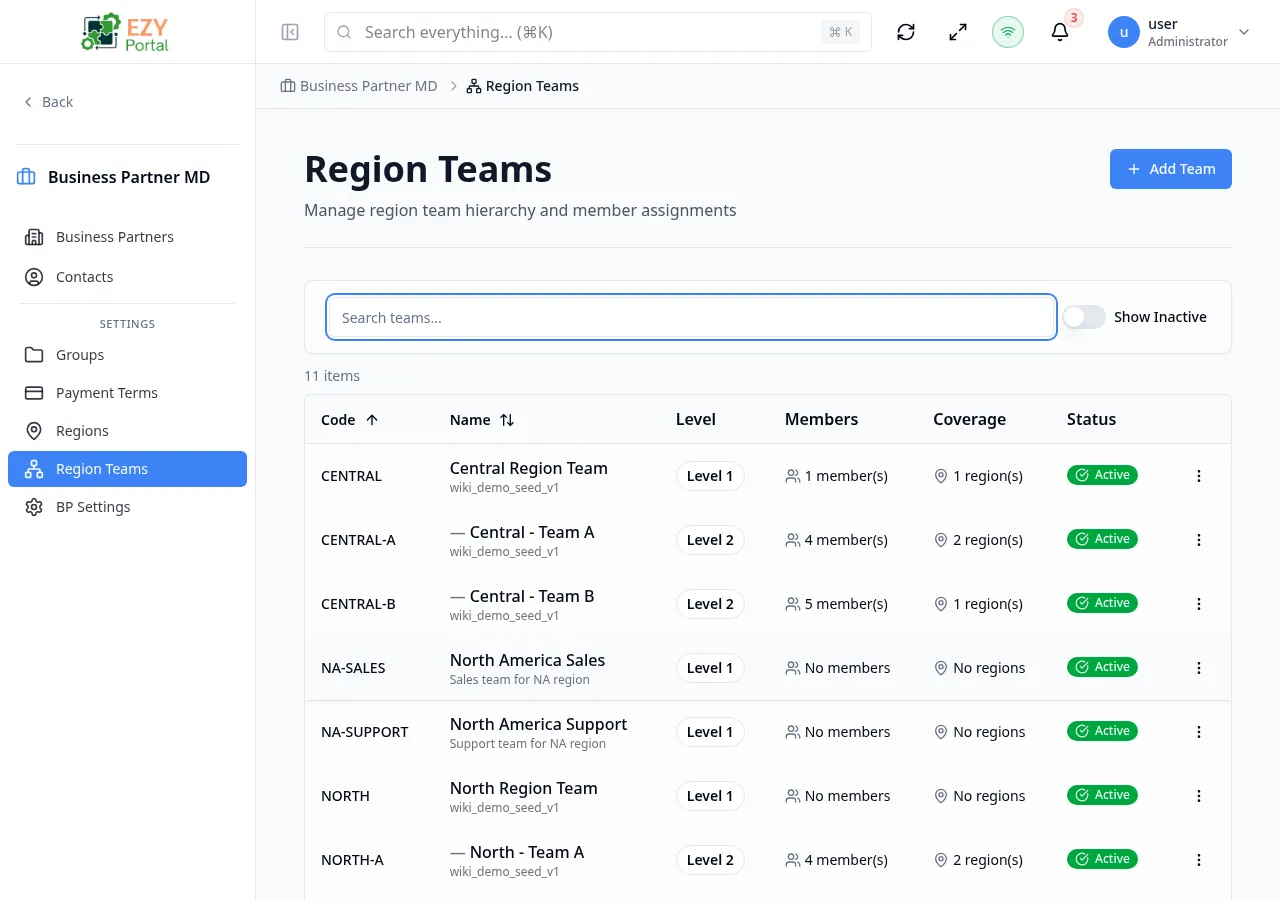
Section titled “Teams List”The list page displays all teams in a sortable table with the following columns:
| Column | Description |
|---|---|
| Code | Unique team code |
| Name | Team display name, with description below. Indented for child teams. |
| Level | Team hierarchy level (L1 = root, L2 = child, etc.) |
| Members | Number of team members with icon |
| Coverage | Number of covered regions with icon |
| Status | Active/inactive status badge |
Filtering
Section titled “Filtering”| Filter | Options | Description |
|---|---|---|
| Search | Free text | Searches across code, name, and description |
| Show Inactive | Toggle | Show or hide inactive teams (default: active only) |
Row Actions
Section titled “Row Actions”Each team row has a dropdown menu with:
- Edit — Open the edit dialog
- Delete — Delete the team (requires Admin permission)
Click any row to open the Team Detail page.
Creating a Team
Section titled “Creating a Team”- Click the Add Team button on the teams list page
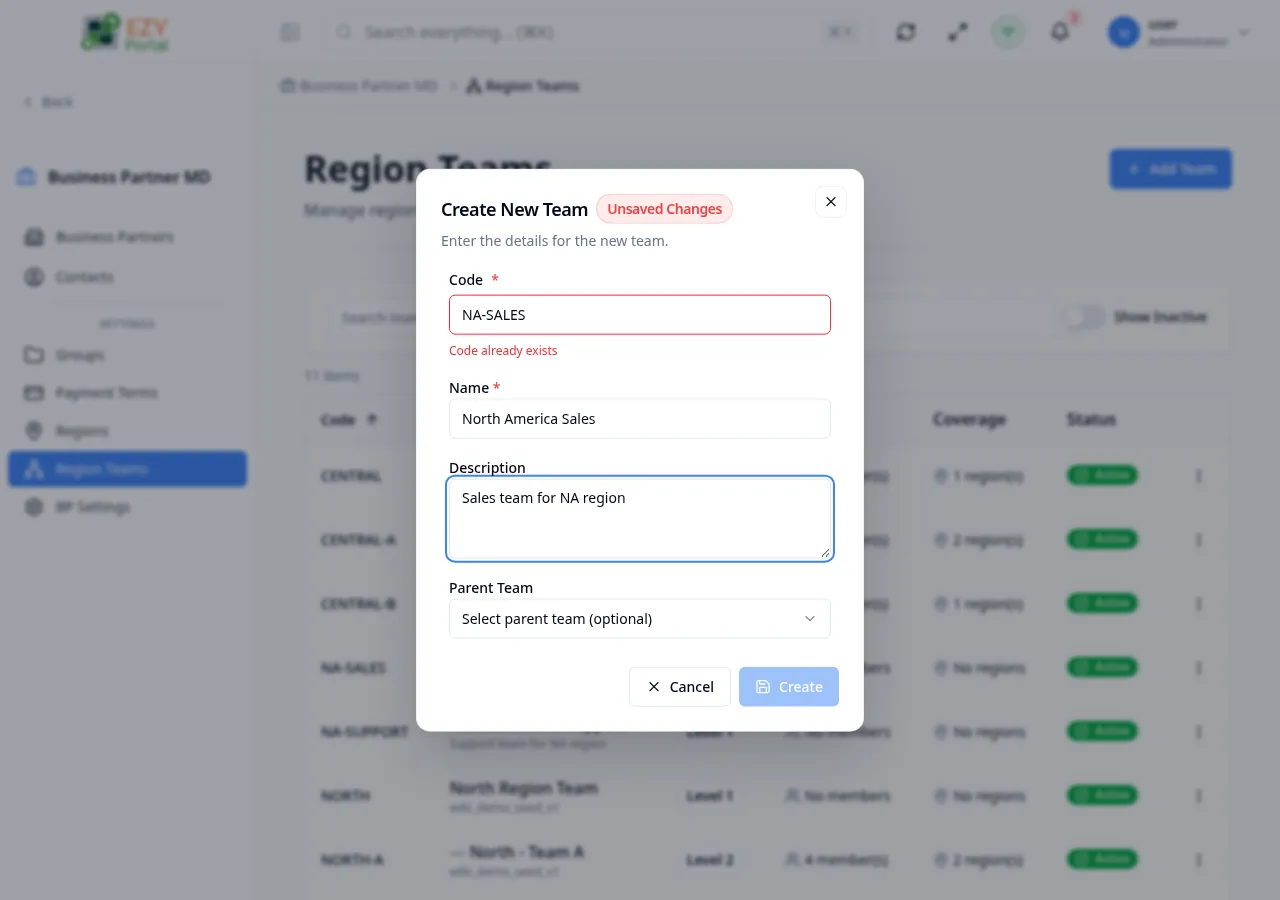
- Fill in the create dialog:
| Field | Required | Description |
|---|---|---|
| Code | Yes | Unique team code (max 50 characters). Auto-validated and uppercased. |
| Name | Yes | Team display name (max 200 characters) |
| Description | No | Optional team description (max 500 characters) |
| Parent Team | No | Select a parent team to create a hierarchy |
- Click Create to save
The code field validates in real-time — a green indicator confirms availability, red indicates a duplicate.
Editing a Team
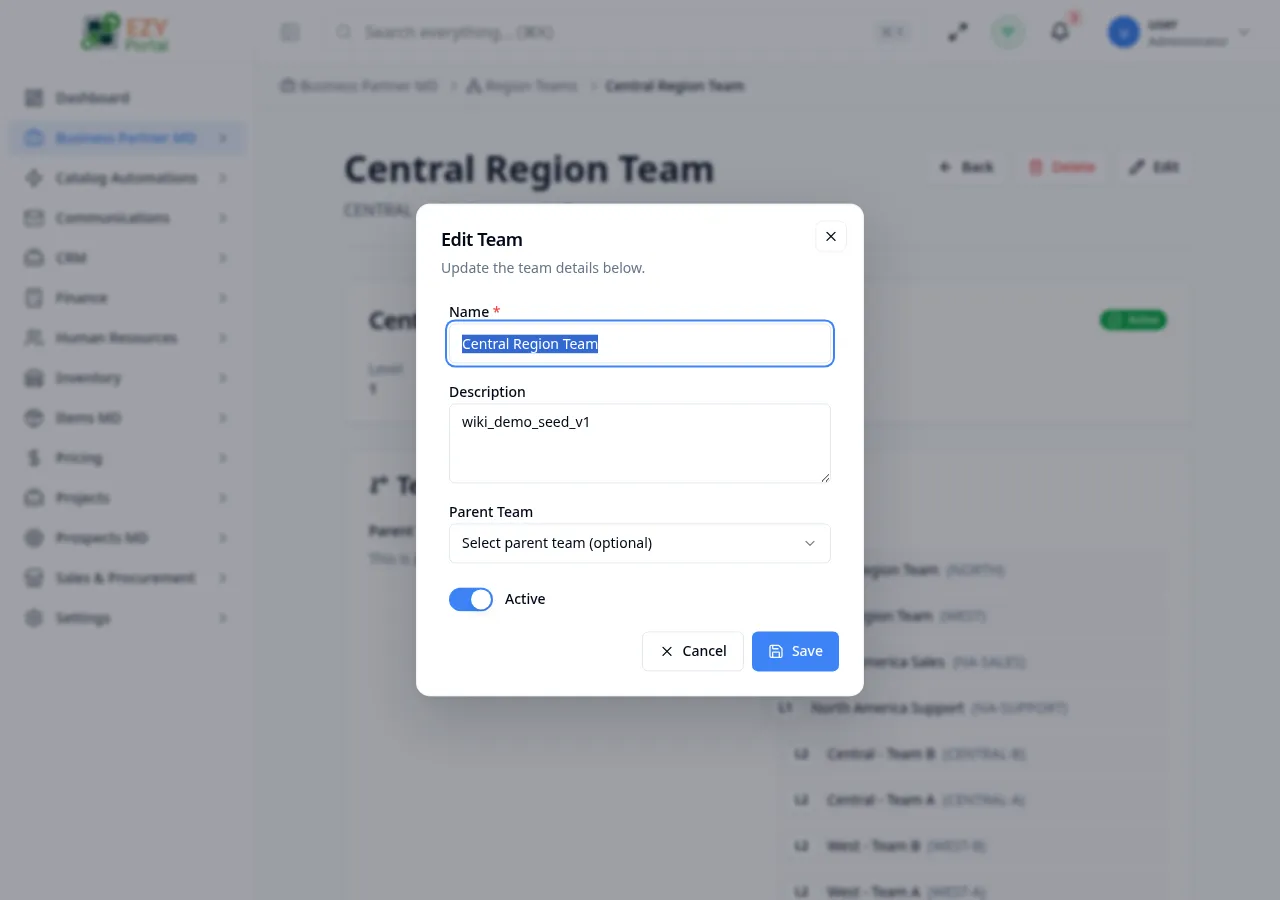
Section titled “Editing a Team”Editing is available from the list page row actions and opens the edit dialog.
| Field | Editable | Notes |
|---|---|---|
| Code | No | Read-only after creation |
| Name | Yes | Max 200 characters |
| Description | Yes | Optional |
| Parent Team | Yes | Can reassign parent; current team excluded from options |
| Active | Yes | Toggle to hide/show the team in lists |
Deleting a Team
Section titled “Deleting a Team”Deleting a team removes all member assignments and region coverage. A confirmation dialog warns that this action cannot be undone.
Teams with child teams cannot be deleted until the hierarchy is flattened or children are reassigned.
Team Hierarchy
Section titled “Team Hierarchy”Teams support a parent-child hierarchy:
- Root-level teams — No parent team assigned
- Child teams — Have a parent team, displayed indented in the list
- The hierarchy is visible on the Team Detail page
Leader and member assignments influence how scope visibility can be applied in Scope Settings.
Related Pages
Section titled “Related Pages”- Team Detail — View and manage a specific team with members and coverage
- Regions — Manage geographic regions
- Groups — Organize business partners into groups
- BP Settings — Configure BP module defaults