Inventory Status
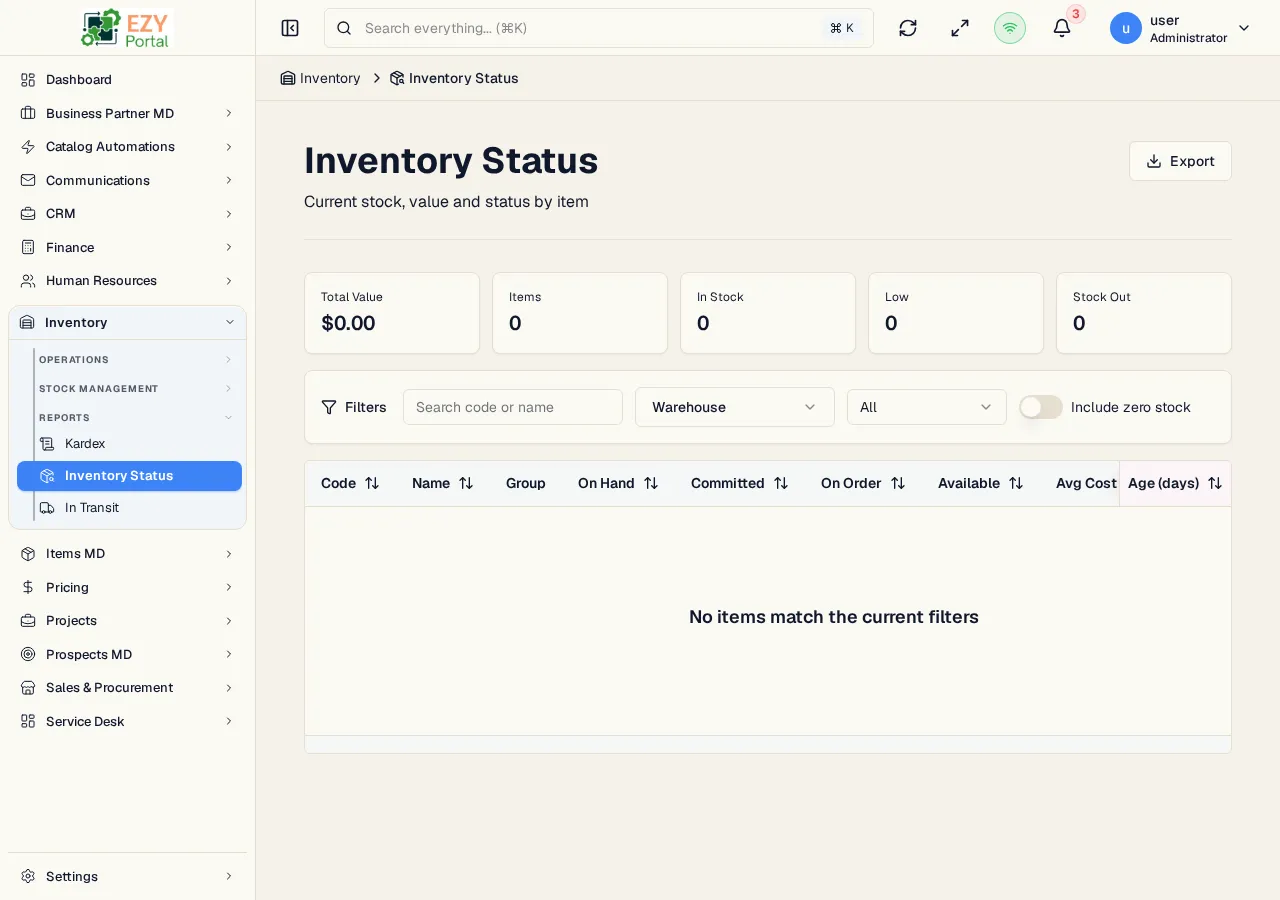
Inventory Status is the operational stock report for reviewing item availability across warehouses. It summarizes on-hand, committed, on-order, available quantity, average cost, total value, and stock status in one sortable table.
Accessing the Page
Section titled “Accessing the Page”Navigate to Inventory → Reports → Inventory Status in the sidebar, or go to /inventory/reports/inventory-status.
Summary Cards
Section titled “Summary Cards”The top of the page shows stock status totals for the current filter set:
| Card | Meaning |
|---|---|
| In Stock | Items with available stock above the low-stock threshold |
| Low Stock | Items that still have availability but are below the threshold |
| Stockout | Items with no available quantity |
| Total Value | Inventory value calculated from quantity and average cost |
Filters
Section titled “Filters”| Filter | Description |
|---|---|
| Search | Search by item code or item name |
| Warehouse | Limit the report to one warehouse |
| Status | Show all, In Stock, Low, or Stockout rows |
| Include zero stock | Include items with no stock rows in the selected scope |
Active filters appear as removable chips. Use Clear all to reset the report.
Columns
Section titled “Columns”| Column | Description |
|---|---|
| Item Code / Item Name | Identifies the item |
| Item Group | Item group classification |
| On Hand | Physical stock quantity |
| Committed | Quantity reserved by open demand |
| On Order | Quantity expected from open inbound documents |
| Available | On-hand minus committed, shown with status badge |
| Average Cost | Average unit cost |
| Value | Total inventory value |
| Age | Age in days when available |
Actions
Section titled “Actions”| Action | Description |
|---|---|
| Refresh | Reload report data |
| Export | Download the current report as an Excel file |
| Row click | Opens a warehouse drill-down sheet using the same stock-by-warehouse panel shown on Item Detail |