Cancellation Reasons
Cancellation Reasons are administrator-defined labels that operators choose when they cancel a line or document inside the warehouse. Each reason can be scoped to one or more process types so that only relevant options appear during a given workflow.
Accessing the Page
Section titled “Accessing the Page”Navigate to Settings → Cancellation Reasons or go directly to /settings/cancelReasons.
This page is restricted to super-user accounts.
Cancellation Reasons List
Section titled “Cancellation Reasons List”The list displays all configured reasons with the following columns:
| Column | Description |
|---|---|
| Reason | Name of the cancellation reason |
| Status | Active or Inactive |
| Goods Receipt | Whether the reason is available during goods receipt cancellations |
| Transfer | Whether the reason is available during transfer cancellations |
| Counting | Whether the reason is available during inventory count cancellations |
| Actions | Edit or Delete buttons |
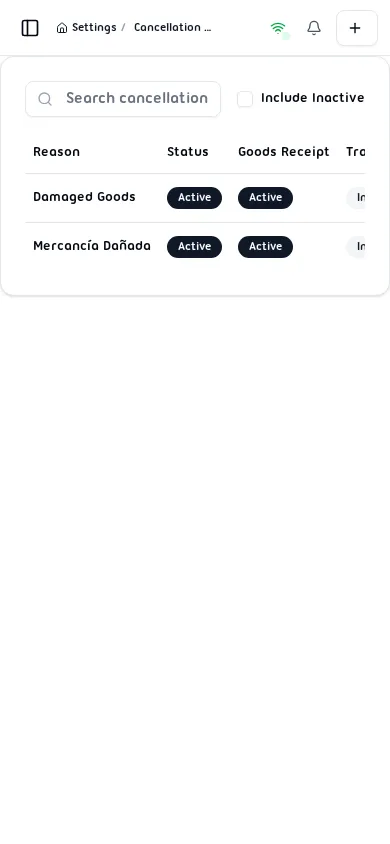
Search and filter options:
- Search bar — Filter reasons by name in real time.
- Include Inactive checkbox — When checked, disabled reasons are shown alongside active ones.
Creating a Cancellation Reason
Section titled “Creating a Cancellation Reason”- Tap the + button in the top-right corner of the page.
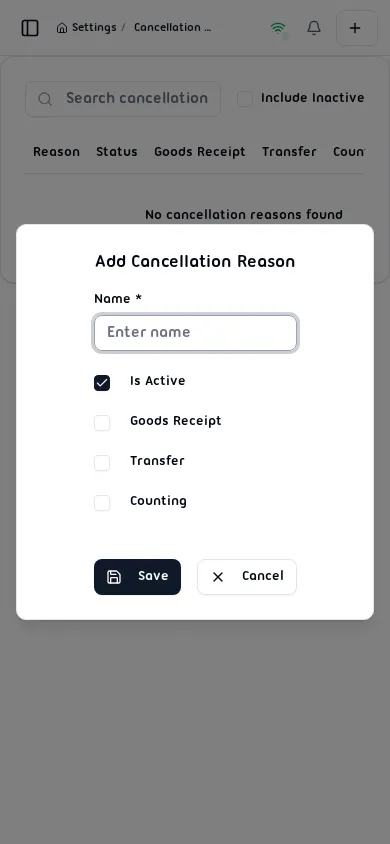
- Fill in the Add Cancellation Reason form:
| Field | Description |
|---|---|
| Name * | Required. Between 2 and 100 characters. |
| Is Active | When checked the reason is available for selection by operators. |
| Goods Receipt | Enable this reason for goods receipt cancellations. |
| Transfer | Enable this reason for transfer cancellations. |
| Counting | Enable this reason for inventory count cancellations. |
- Tap Save to create the reason, or Cancel to discard.
Editing a Cancellation Reason
Section titled “Editing a Cancellation Reason”- Locate the reason in the list and tap Edit.
- The Edit Cancellation Reason dialog opens pre-filled with the current values.
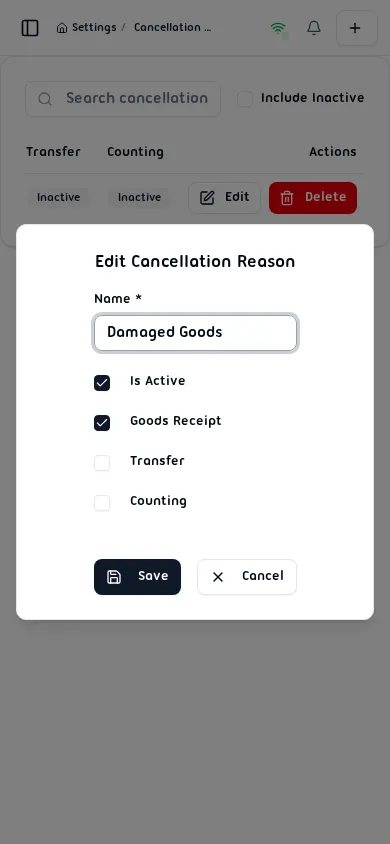
- Modify any field and tap Save, or tap Cancel to discard.
Deleting a Cancellation Reason
Section titled “Deleting a Cancellation Reason”- Locate the reason in the list and tap Delete.
- A confirmation dialog appears:
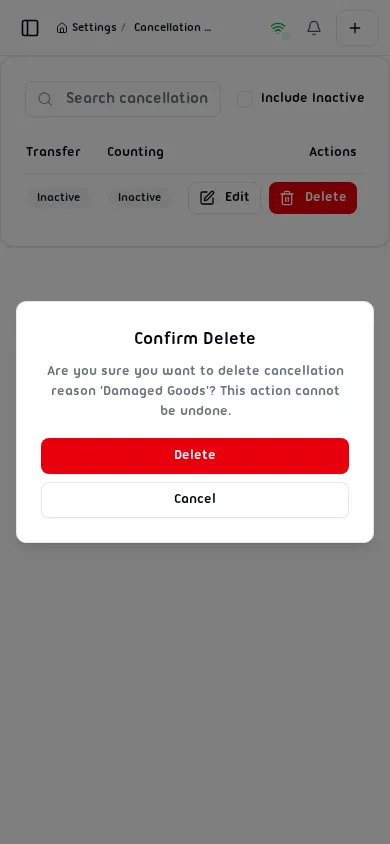
- Tap Delete to permanently remove the reason, or Cancel to abort.
Warning: Deletion is permanent and cannot be undone.