Devices
The Devices page lists every device that has ever accessed the WMS. A Super User can activate new devices, disable unused ones, rename them, and review the full audit trail of status changes.
Device List
Section titled “Device List”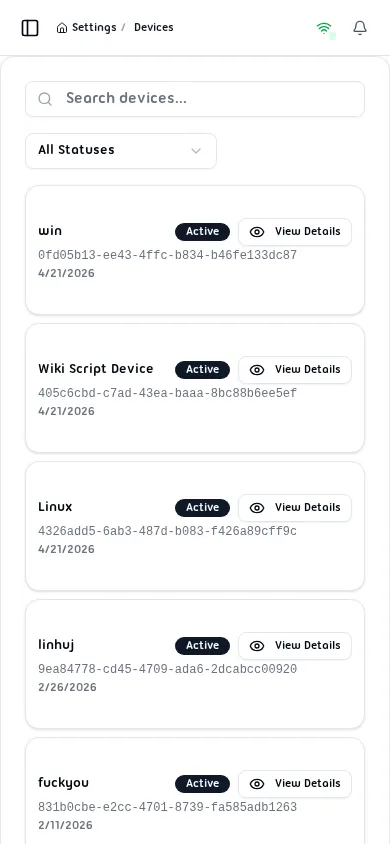
The list shows one card per registered device containing:
| Field | Description |
|---|---|
| Device Name | Human-readable label assigned on first registration |
| UUID | Unique identifier generated by the device browser |
| Registration Date | Date the device first logged in |
| Status | Current status badge — Active, Inactive, or Disabled |
Use the Search field to filter by name or UUID. Use the All Statuses dropdown to filter by status.
Device Details
Section titled “Device Details”Click View Details on any card to open the device detail dialog.
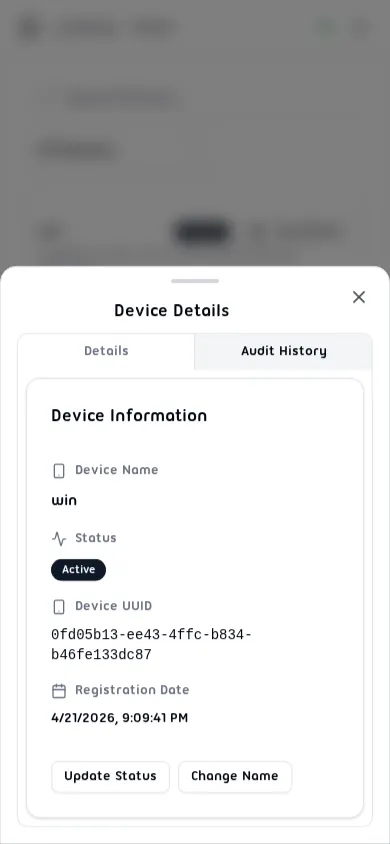
The Details tab shows:
- Device Name and current Status
- Full Device UUID
- Registration Date
- Status Notes (reason recorded for the last status change)
Two action buttons are available at the bottom:
- Update Status — change the device status (Activate / Disable)
- Change Name — rename the device
Audit History
Section titled “Audit History”Click the Audit History tab inside the device detail dialog to see the full log of status changes.
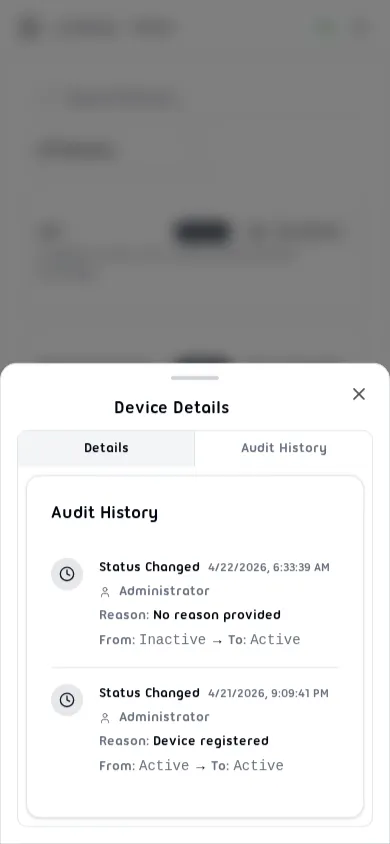
Each entry records:
- Action type and timestamp
- User who made the change
- Reason provided
- Previous status → New status
Updating Device Status
Section titled “Updating Device Status”From the Details tab, click Update Status to open the status form.
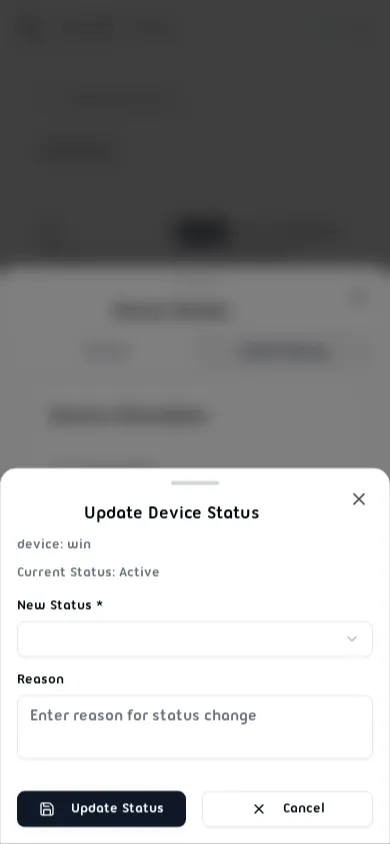
- Select the New Status from the dropdown (Active or Disabled).
- Enter a Reason for the change (required, 10–500 characters).
- Click Update Status.
The change is recorded in the device’s Audit History.
Changing Device Name
Section titled “Changing Device Name”From the Details tab, click Change Name to rename the device.

- Clear the current name and enter a new Device Name (3–100 characters).
- Click Change Name.
Device names must be unique across the system.
Device Statuses
Section titled “Device Statuses”| Status | Description |
|---|---|
| Active | Fully operational; users can log in |
| Inactive | Newly registered; login blocked until activated by a Super User |
| Disabled | Manually blocked by an administrator |