Communications Status
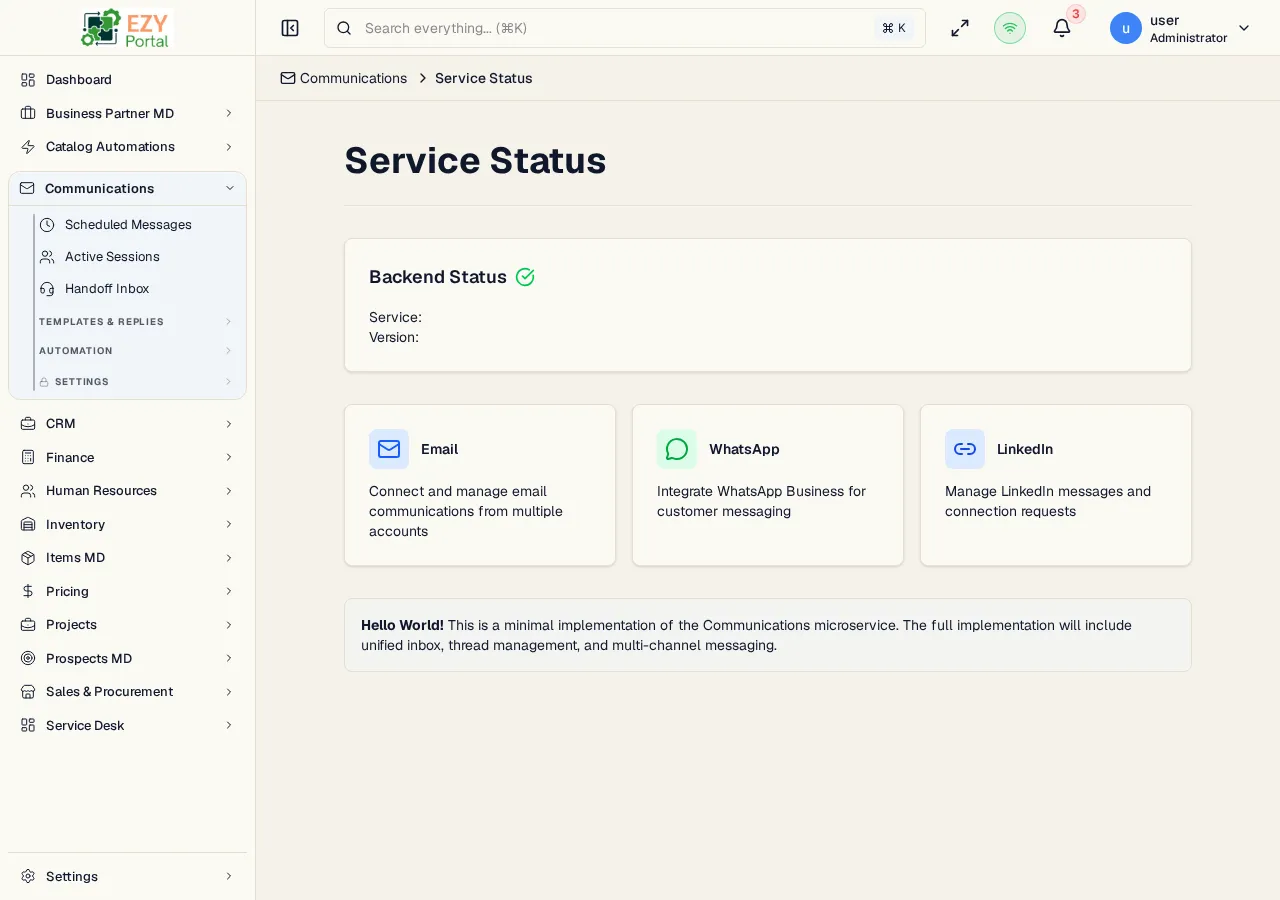
The Communications Status page is the landing route for the Communications module. It checks the Communications backend health endpoint and shows the current service response together with channel readiness cards for Email, WhatsApp, and LinkedIn.
Accessing the Page
Section titled “Accessing the Page”- Route:
/communications/hello - Menu Path: Communications -> Status
- Default route behavior:
/communicationsredirects to/communications/hello.
Backend Status
Section titled “Backend Status”The top card calls /api/communications/health.
| State | Description |
|---|---|
| Checking | The page is waiting for the health request to finish. |
| Available | The backend returned service metadata, including service name and version. |
| Not available | The health request failed. The page shows a backend-unavailable message. |
Channel Cards
Section titled “Channel Cards”| Channel | Description |
|---|---|
| Indicates that email communications are part of the module. Configure accounts from Email Settings. | |
| Indicates WhatsApp Business messaging support. Configure accounts from WhatsApp Settings. | |
| Indicates LinkedIn messaging support when enabled. |
- This is a lightweight module status page, not the unified inbox.
- The Communications app catch-all route redirects here when a route is unknown.