Item Categories
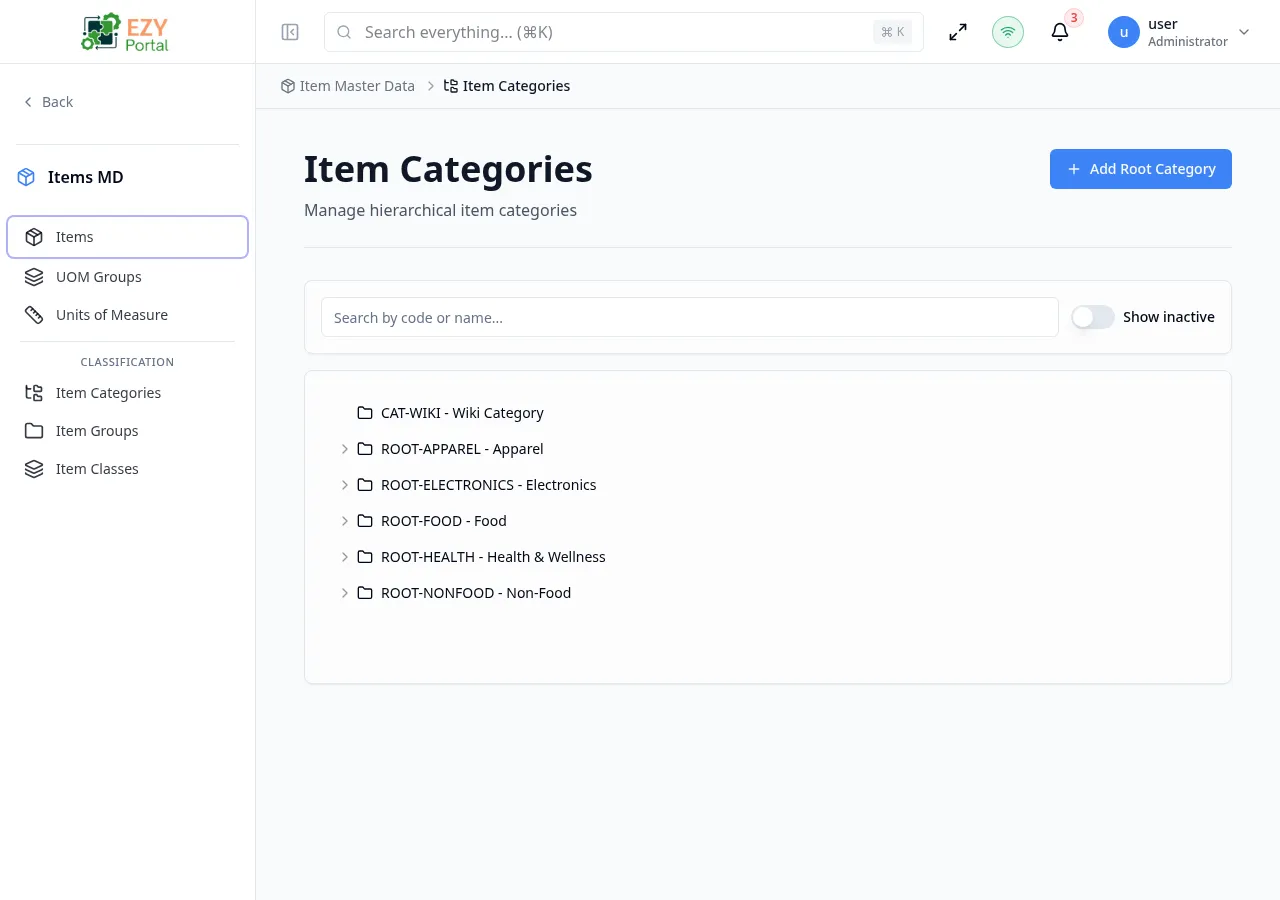
The Item Categories page provides a tree view for managing hierarchical categories used to classify items. Categories support parent-child relationships for multi-level organization.
Accessing the Page
Section titled “Accessing the Page”- Route:
/items/item-categories - Legacy alias:
/items/itemCategories - Menu Path: Item Master Data → Item Categories
Features
Section titled “Features”Tree View
Section titled “Tree View”Categories are displayed in an expandable tree structure showing the hierarchy. Each node displays:
- Category code
- Category name
- Active status badge
- Action buttons (Edit, Delete, Add Child)
Filtering
Section titled “Filtering”| Filter | Description |
|---|---|
| Search | Search by code or name |
| Show Inactive | Toggle to include inactive categories |
Actions
Section titled “Actions”| Action | Permission | Description |
|---|---|---|
| Add Root Category | Create Category | Create a top-level category |
| Add Child Category | Create Category | Create a sub-category under a parent |
| Edit | Edit Category | Modify category details |
| Delete | Delete Category | Delete a category and its children |
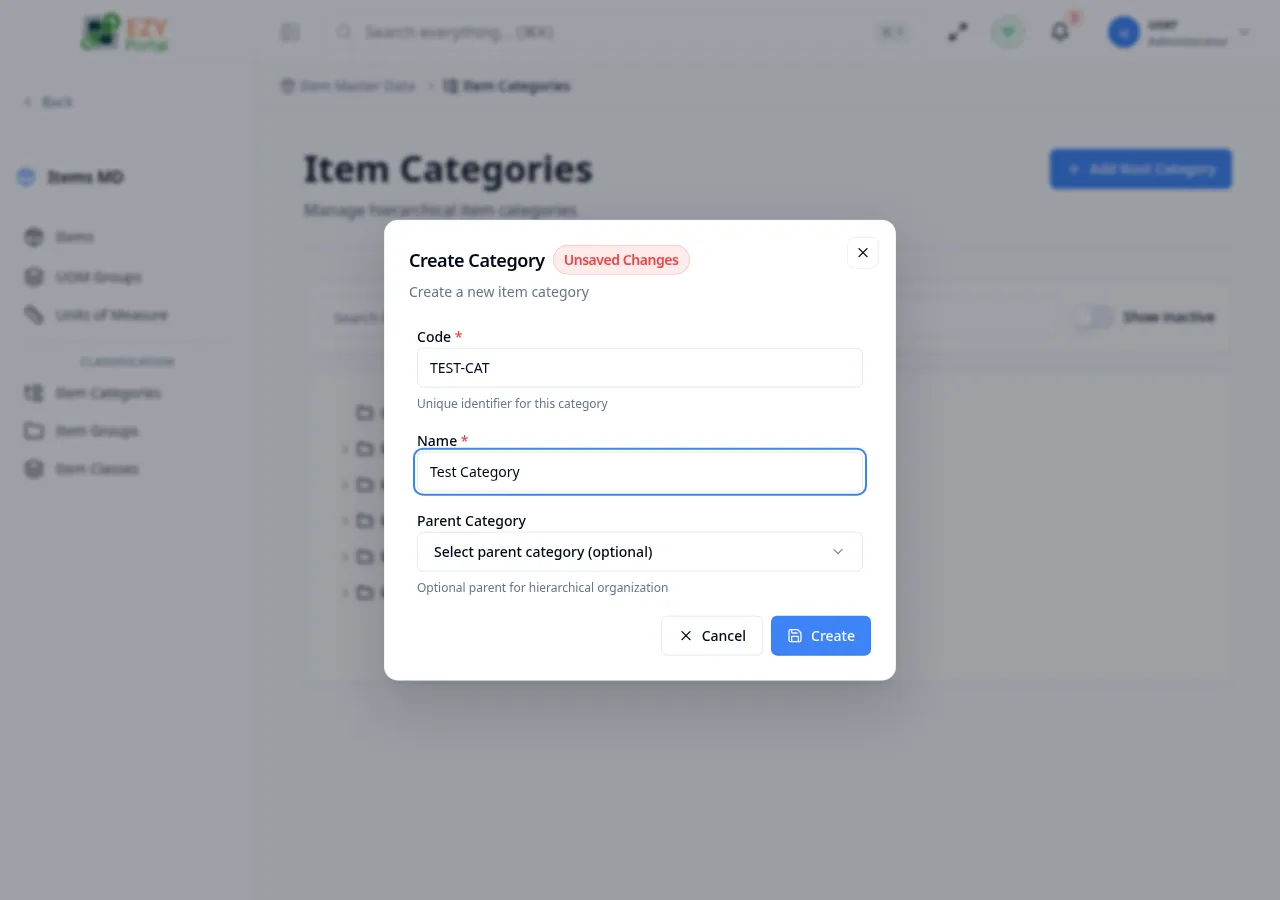
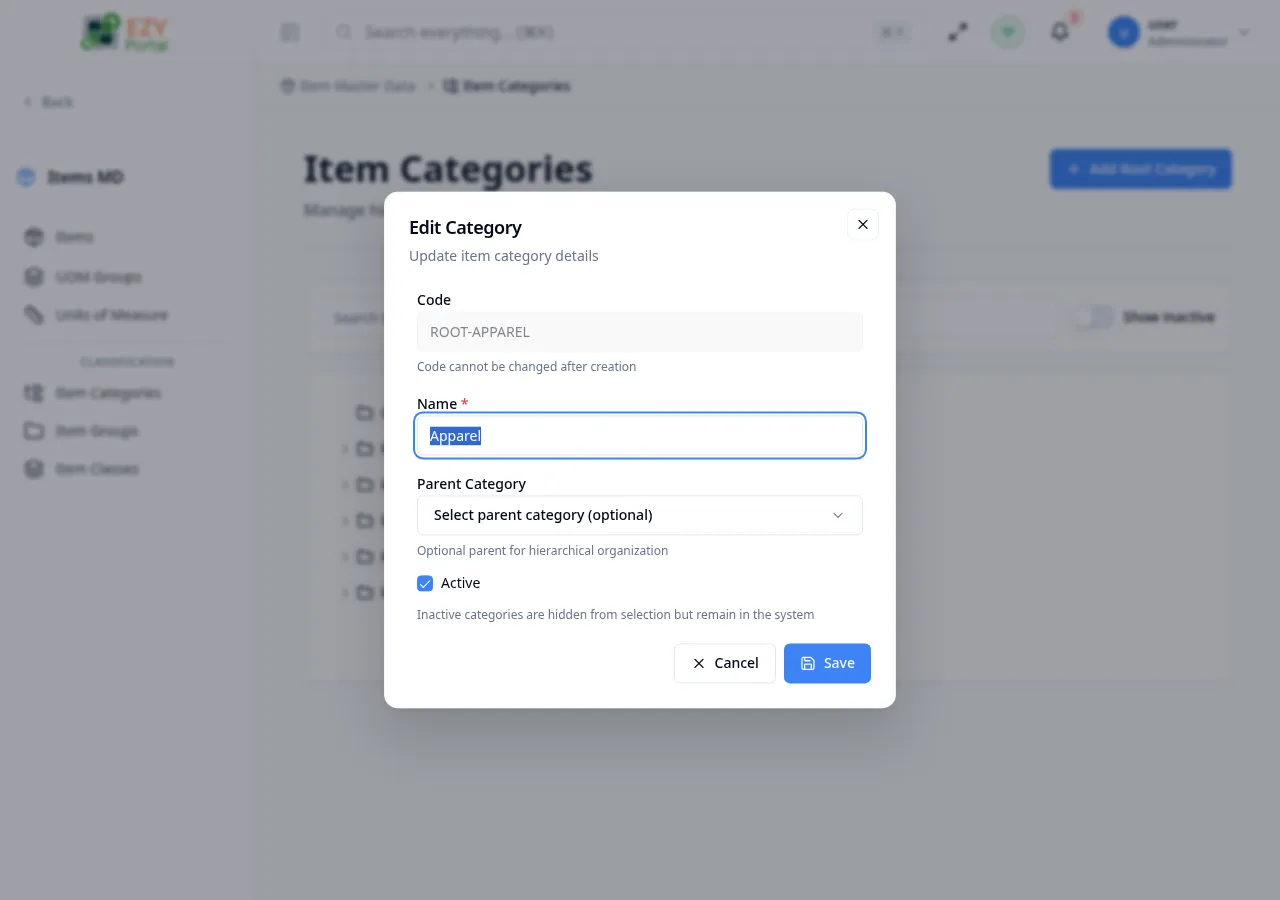
Create / Edit Category Dialog
Section titled “Create / Edit Category Dialog”| Field | Required | Type | Description | Default | Validation |
|---|---|---|---|---|---|
| Code | Yes (create only) | Text | Unique identifier | — | Max 60 chars, read-only after creation |
| Name | Yes | Text | Display name | — | Max 200 chars |
| Parent Category | No | Entity Select | Parent for hierarchical organization | — | Circular references are prevented |
| Active | No | Switch | Active status | true | Inactive categories are hidden from selection |
Parent Category Warning
Section titled “Parent Category Warning”Changing the parent will move the category and all its children. Circular references are automatically prevented.
Initialize Categories
Section titled “Initialize Categories”When no categories exist, the page shows an initialization wizard with suggested defaults:
| Category | Description |
|---|---|
| General | General purpose items |
| Electronics | Electronic devices and components |
| Office Supplies | Office stationery and supplies |
| Furniture | Office and home furniture |
| Supplies | General supplies and consumables |
You can select which categories to create from the suggestions, or create custom ones.
Delete Confirmation
Section titled “Delete Confirmation”Deleting a category that has children will also delete all child categories. This action cannot be undone.
Messages
Section titled “Messages”| Event | Message |
|---|---|
| Create success | Category created successfully |
| Update success | Category updated successfully |
| Delete success | Category deleted successfully |