Automation Templates
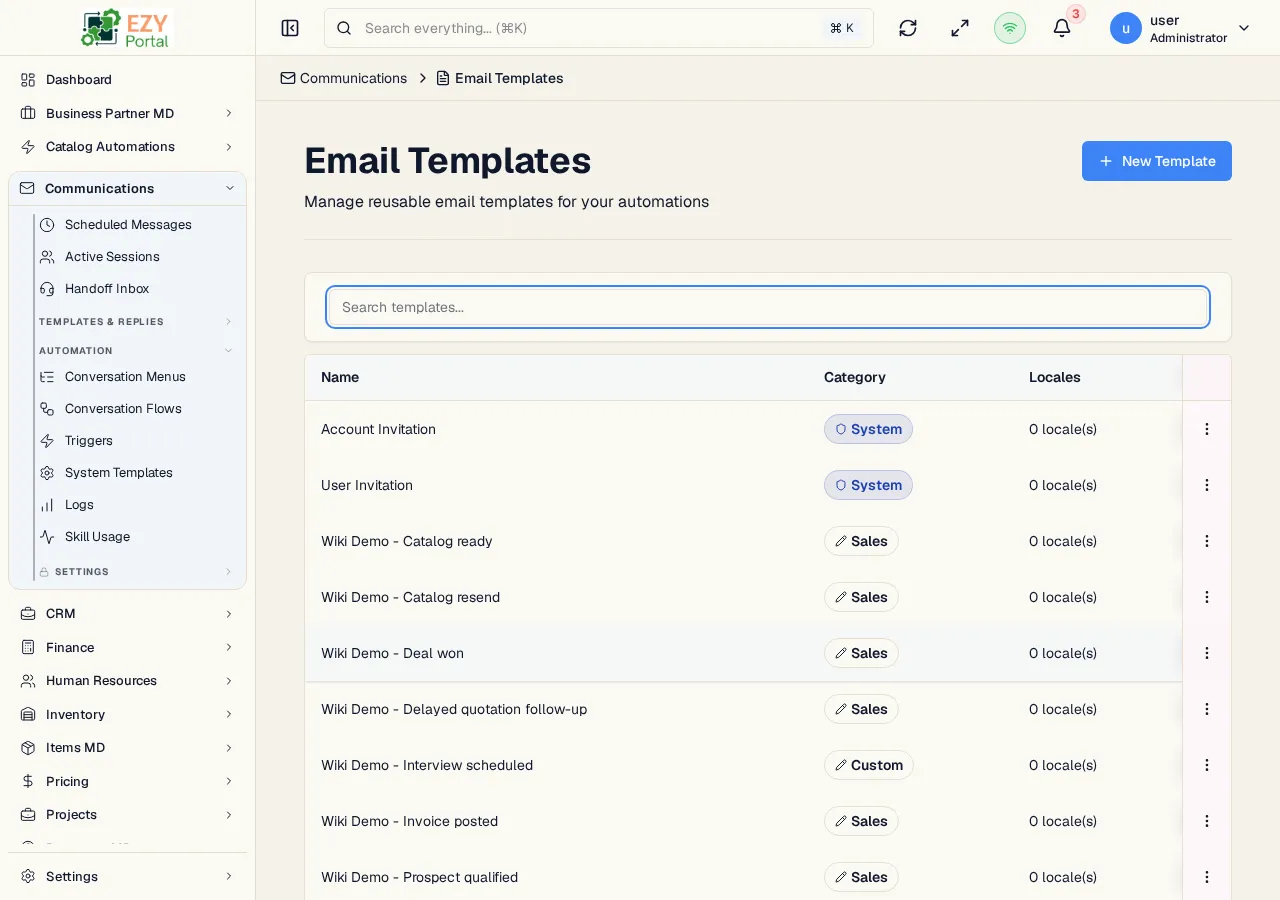
Automation Templates are reusable email templates that can be selected by automation triggers. They store localized subjects and HTML bodies, and they can be edited with the same template editor used by trigger content.
Accessing the Page
Section titled “Accessing the Page”- Route:
/communications/automation/templates - Menu Path: Communications -> Automation -> Automation Templates
List Columns
Section titled “List Columns”| Column | Description |
|---|---|
| Name | Template display name. Clicking a row opens the editor. |
| Category | Template category badge. System templates use a shield badge; custom templates use an edit badge. |
| Locales | Number of localized template variants. |
| Actions | Edit and, when allowed, Delete. |
Filtering and Paging
Section titled “Filtering and Paging”- Search filters template names.
- The list uses load-more pagination.
- Mobile view shows each template as a compact card with the same edit/delete actions.
Creating a Template
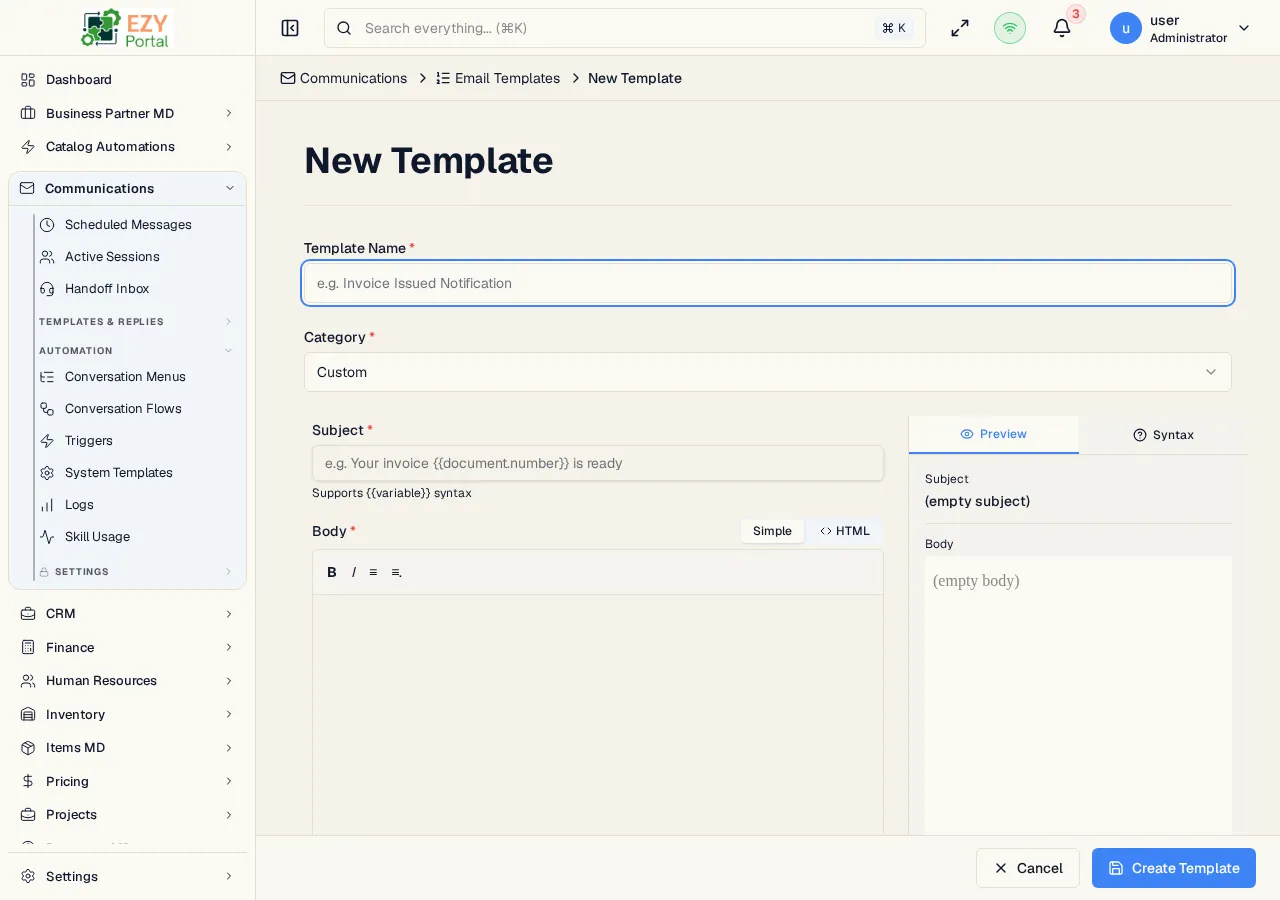
Section titled “Creating a Template”Click New Template to open the template editor at /communications/automation/templates/new.
| Field | Description |
|---|---|
| Name | Required template name. |
| Category | Template category. Hidden for system-template edits. |
| Subject | Localized email subject. |
| Body | Localized HTML body edited in the template editor. |
| AI Assistant | Can generate or revise body and subject content when the template name is provided. |
Editing a Template
Section titled “Editing a Template”Existing templates open at /communications/automation/templates/:id/edit.
- Custom templates use the normal editor tools.
- System templates use the shared editor in advanced mode with system variables and an active/draft toggle.
- Multi-language tenants can switch between enabled locales.
- The body is required for every locale before save.
Delete Behavior
Section titled “Delete Behavior”Templates can be deleted from row actions when the user has automation delete permission. The delete confirmation names the template before removal.