AI Pipeline Coach
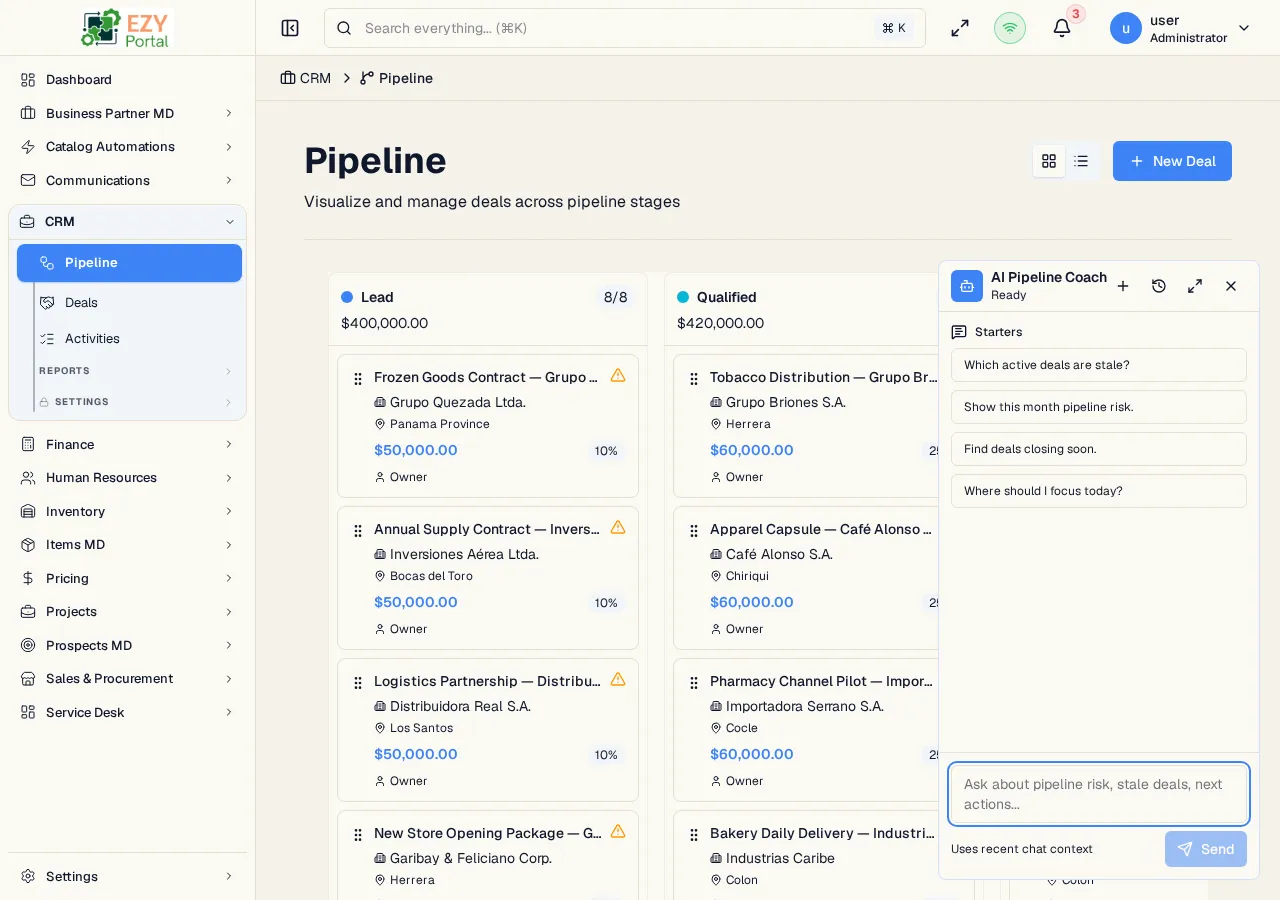
AI Pipeline Coach is a floating assistant available across CRM pages. It uses live CRM data to answer pipeline questions, stream progress, and return deal result cards that can be opened directly.
Accessing the Coach
Section titled “Accessing the Coach”- Route surface: Available on CRM routes such as
/crm,/crm/pipeline,/crm/deals, and/crm/dashboard - Menu Path: CRM -> AI Pipeline Coach
- Launcher: Floating sparkles button in the lower-right corner of CRM pages
Main Controls
Section titled “Main Controls”| Control | Description |
|---|---|
| New session | Clears the current chat and starts a new coach session. |
| Restore session | Opens today’s saved coach sessions. The last 10 sessions are stored per tenant and user in browser storage. |
| Stop response | Cancels a streaming coach response. |
| Expand/Shrink | Toggles between floating panel and full-screen panel. |
| Close | Hides the panel and returns to the floating launcher. |
Starter Prompts
Section titled “Starter Prompts”The empty panel shows starter prompts for common sales-management questions:
| Prompt | Use |
|---|---|
| Which active deals are stale? | Find deals without enough recent activity. |
| Show this month pipeline risk. | Review deals that may threaten the current forecast. |
| Find deals closing soon. | Identify near-term opportunities that need attention. |
| Where should I focus today? | Ask the coach to prioritize follow-up work. |
Streaming Results
Section titled “Streaming Results”During a response, the coach can show:
- Status rows such as planning or working on live CRM data.
- Tool-call rows when it queries CRM data.
- Tool-result rows with counts when data is loaded.
- Rich assistant responses after streaming completes.
- Deal result cards with amount, company, expected close date, and stale-reason context.
Clicking a deal result card closes the coach and opens the deal detail page.
Session Behavior
Section titled “Session Behavior”- The coach keeps the last six non-empty chat messages as request context.
- Today’s sessions are stored locally per tenant and user.
- Older session storage keys are purged automatically.
- Starting a new session while a response is streaming stops the active response first.