Authorization Groups
Authorization Groups define sets of permissions that are later assigned to users. Each group bundles one or more individual roles from three categories — Operations, Supervision, and Administration — so that an administrator can grant access to entire workflows with a single assignment instead of picking roles one by one.
Authorization Groups List
Section titled “Authorization Groups List”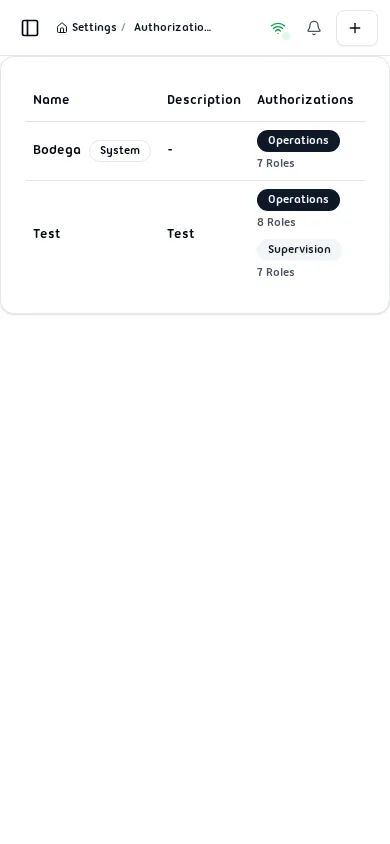
The list shows every group configured in the warehouse with the following columns:
| Column | Description |
|---|---|
| Name | Display name of the group. System groups show a System badge. |
| Description | Optional free-text description of the group’s purpose. |
| Authorizations | Permission categories assigned and the number of roles in each. |
| Created At | Date the group was first created. |
| Actions | Edit and Delete buttons. |
Creating an Authorization Group
Section titled “Creating an Authorization Group”Click the + button (top-right) to open the Add Authorization Group form.
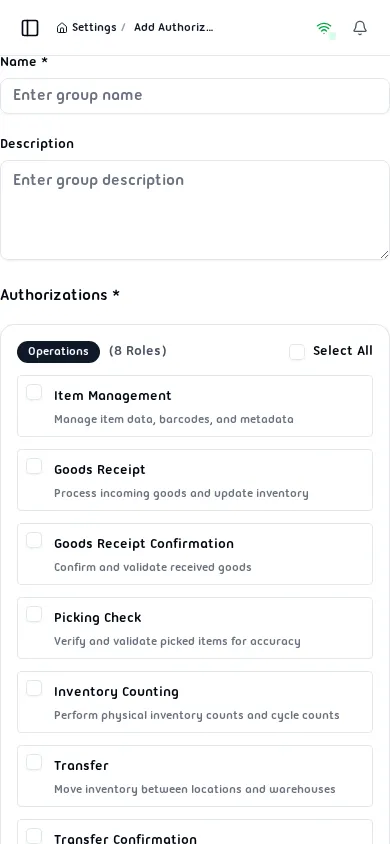
Fill in the required fields:
| Field | Required | Notes |
|---|---|---|
| Name | Yes | 2–100 characters |
| Description | No | Free-text description |
| Authorizations | Yes | At least one role must be selected |
Role Categories
Section titled “Role Categories”Roles are organized into categories. Each category has a Select All checkbox to grant every role in that category at once.
Operations — roles for warehouse floor workers:
| Role | Description |
|---|---|
| Item Management | Manage item data, barcodes, and metadata |
| Goods Receipt | Process incoming goods and update inventory |
| Goods Receipt Confirmation | Confirm and validate received goods |
| Picking | Execute pick tasks from pick orders |
| Picking Check | Verify and validate picked items for accuracy |
| Inventory Counting | Perform physical inventory counts and cycle counts |
| Transfer | Move stock between locations or warehouses |
| Direct Transfer | Execute direct bin-to-bin stock movements |
Supervision — roles for team leads and supervisors:
| Role | Description |
|---|---|
| Item Management Supervisor | Oversee and approve item data changes |
| Goods Receipt Supervisor | Supervise and approve goods receipt operations |
| Goods Receipt Confirmation Supervisor | Supervise goods receipt confirmation workflows |
| Picking Supervisor | Monitor and manage picking operations |
| Counting Supervisor | Oversee counting sessions and approve results |
| Transfer Supervisor | Supervise and approve transfer operations |
| Transfer Confirmation Supervisor | Approve and finalize transfer confirmations |
Click Save to create the group. Click Cancel to discard and return to the list.
Editing an Authorization Group
Section titled “Editing an Authorization Group”Click Edit on any row to open the Edit Authorization Group form.
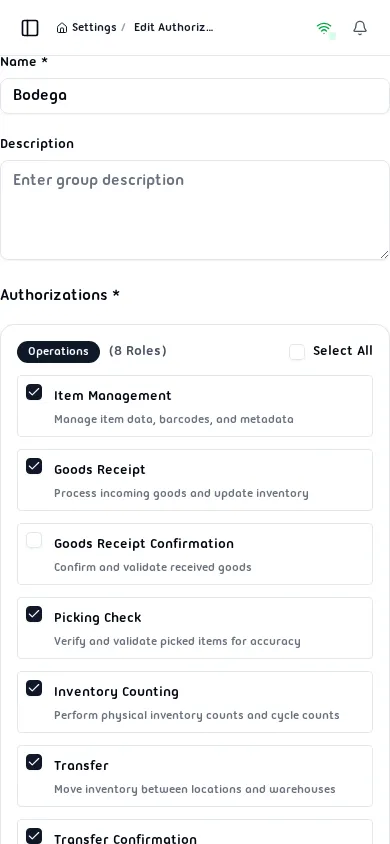
All fields are editable. Role checkboxes reflect the current assignments — check or uncheck individual roles or use Select All per category. Click Save to apply the changes.
Deleting an Authorization Group
Section titled “Deleting an Authorization Group”Click Delete on any deletable row. A confirmation dialog opens before the group is permanently removed.
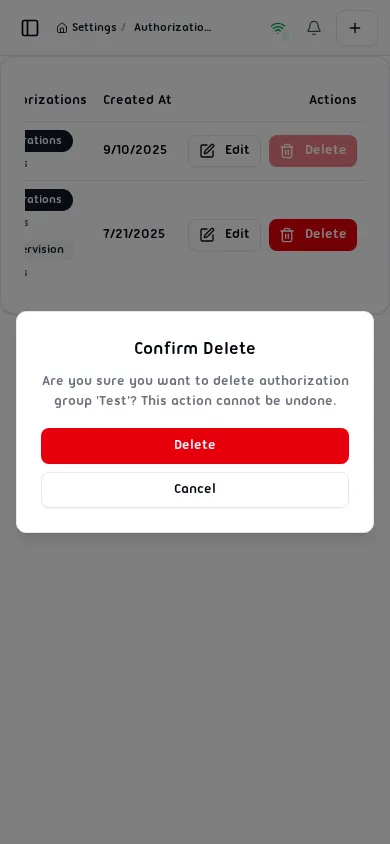
Click Delete to confirm or Cancel to abort. This action cannot be undone.
Validation Rules
Section titled “Validation Rules”| Field | Rule |
|---|---|
| Name | Required, min 2, max 100 characters |
| Authorizations | At least one role required |