Edit Item
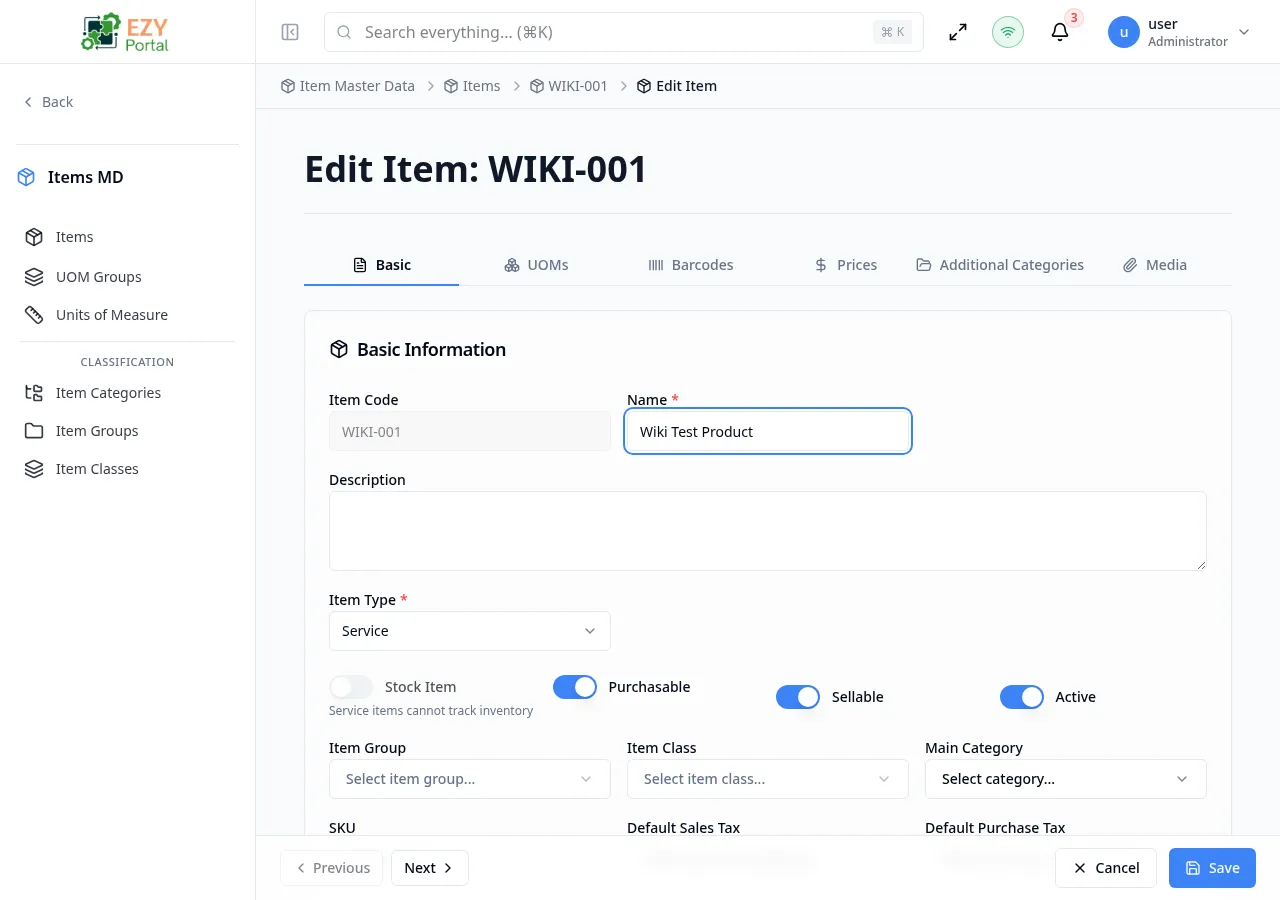
The Edit Item page allows you to modify all aspects of an existing item. It shares the same tabbed interface as the Create page, with the item code locked to prevent changes after creation.
Accessing the Page
Section titled “Accessing the Page”-
Route:
/items/:id/edit -
Menu Path: Item Master Data → Items → Item row → Edit action, or Item Detail → Edit button
-
Permission: Edit Item
Form Overview
Section titled “Form Overview”The edit form uses the same tabbed layout as the Create page:
| Tab | Description |
|---|---|
| Basic | Core item fields (Item Code is read-only) |
| UOMs | Manage additional units of measure |
| Barcodes | Manage barcode assignments (includes UOM column) |
| Prices | Manage the price matrix by price list and UOM |
| Categories | Manage additional category mappings |
| Media | Upload/delete images and attachments |
Differences from Create Mode
Section titled “Differences from Create Mode”- Item Code is read-only and cannot be changed
- UOM table shows existing UOMs loaded from the server
- Barcode table includes a UOM column showing which UOM each barcode applies to
- Price matrix shows existing prices loaded from the pricing-tax service, with rows for price lists and columns for base/alternate UOMs
- Categories tab shows existing category mappings and allows adding/removing
- Media tab shows existing images and attachments with delete support
- Custom Fields section appears on the Basic tab if custom field definitions exist
Basic Tab Fields
Section titled “Basic Tab Fields”All fields are the same as the Create Item page, except:
- Item Code: Read-only (displayed in a disabled input)
- SKU: Editable with real-time uniqueness validation (only validates if changed)
Prices Tab
Section titled “Prices Tab”The Prices tab uses the same matrix described on Create Item. In edit mode it also supports recovery from partial price-save failures.
| Feature | Behavior |
|---|---|
| Base price cells | Editable when the user has permission for the price list |
| Derived price cells | Recalculate from the base price list and derivation factor |
| Override cells | Manual prices on derived lists, shown with override styling and reset action |
| Suggested UOM cells | Optional suggestions calculated from base-UOM price and UOM factor |
| Search | Filters price-list rows |
| Columns menu | Hides or shows UOM columns |
| Mobile view | Groups prices for smaller screens instead of showing the full spreadsheet |
Unsaved Changes Protection
Section titled “Unsaved Changes Protection”The form tracks changes across all tabs and warns you before navigating away with unsaved changes.
Nested Update Behavior
Section titled “Nested Update Behavior”- UOMs, barcodes, prices, categories, and custom fields can be updated as part of the same edit workflow.
- Duplicate barcode values and invalid UOM combinations are blocked during validation.
- When price updates fail but item changes succeed, the page reports partial success so pricing can be retried without losing other edits.
- Partial price-save recovery keeps the user on Edit Item and focuses the Prices tab with the failed price data still visible.
Messages
Section titled “Messages”| Event | Message |
|---|---|
| Update success | Item updated successfully |
| Update error | Failed to update item |
| Partial success | Item was saved but prices could not be updated. Please try saving prices again. |
| File warning | Item was saved but some files could not be processed. Please try again. |