Groups
Manage groups for organizing and categorizing business partners by scope, role, or custom criteria.
Accessing the Page
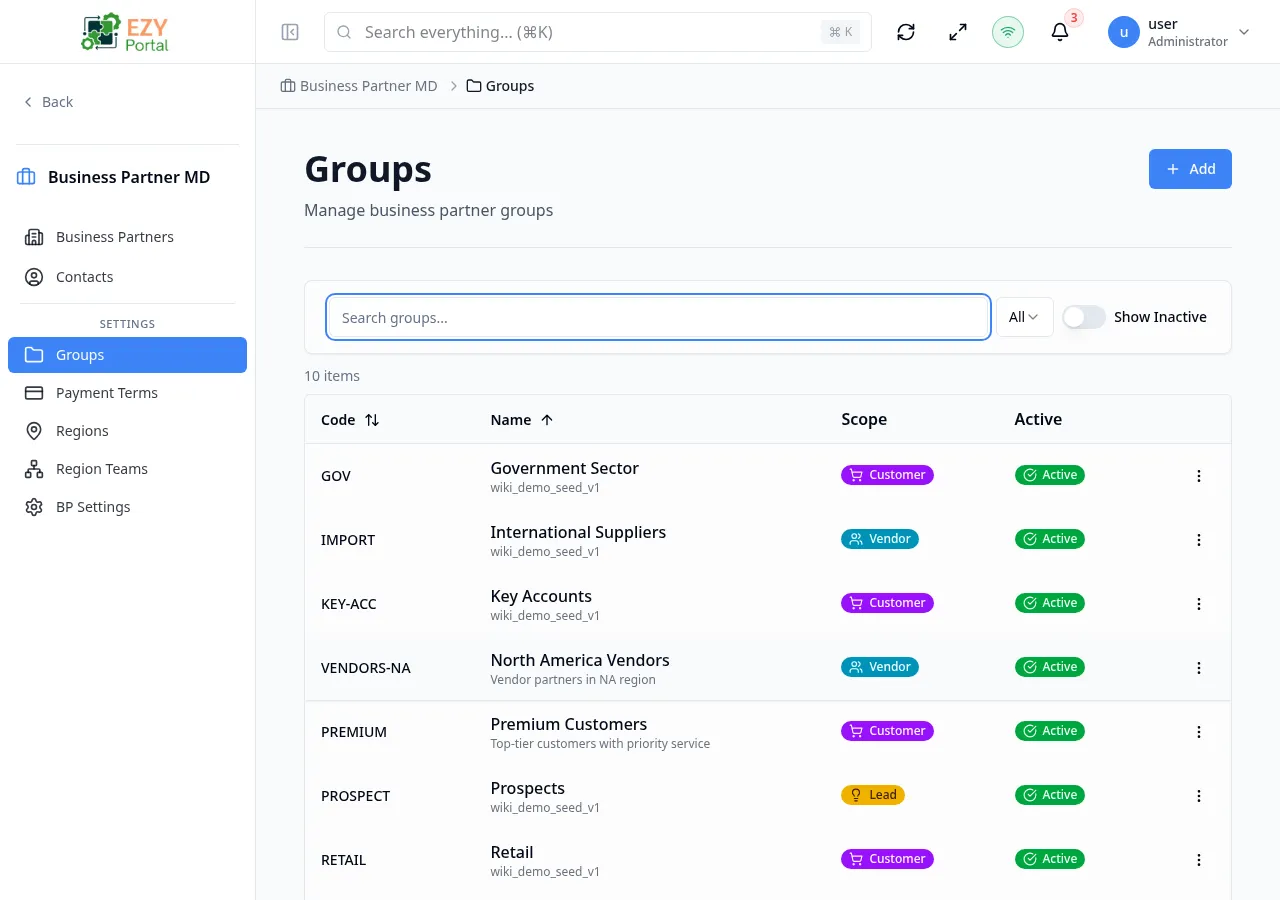
Section titled “Accessing the Page”Navigate to Business Partners → Groups in the sidebar, or go to /business-partners/groups.
Groups List
Section titled “Groups List”The list page displays all groups in a sortable table with the following columns:
| Column | Description |
|---|---|
| Code | Unique group code |
| Name | Group display name, with description shown below |
| Scope | Scope badge showing the group’s partner type |
| Active | Active/inactive status badge |
Filtering
Section titled “Filtering”| Filter | Options | Description |
|---|---|---|
| Search | Free text | Searches across code, name, and description |
| Scope | All, Any, Customer, Vendor, Lead | Filter by group scope |
| Show Inactive | Toggle | Show or hide inactive groups (default: active only) |
Row Actions
Section titled “Row Actions”Each group row has a dropdown menu with:
- Edit — Open the edit dialog
- Delete — Delete the group (requires Admin permission)
Click any row to open the Group Detail page.
Creating a Group
Section titled “Creating a Group”- Click the Add button on the groups list page
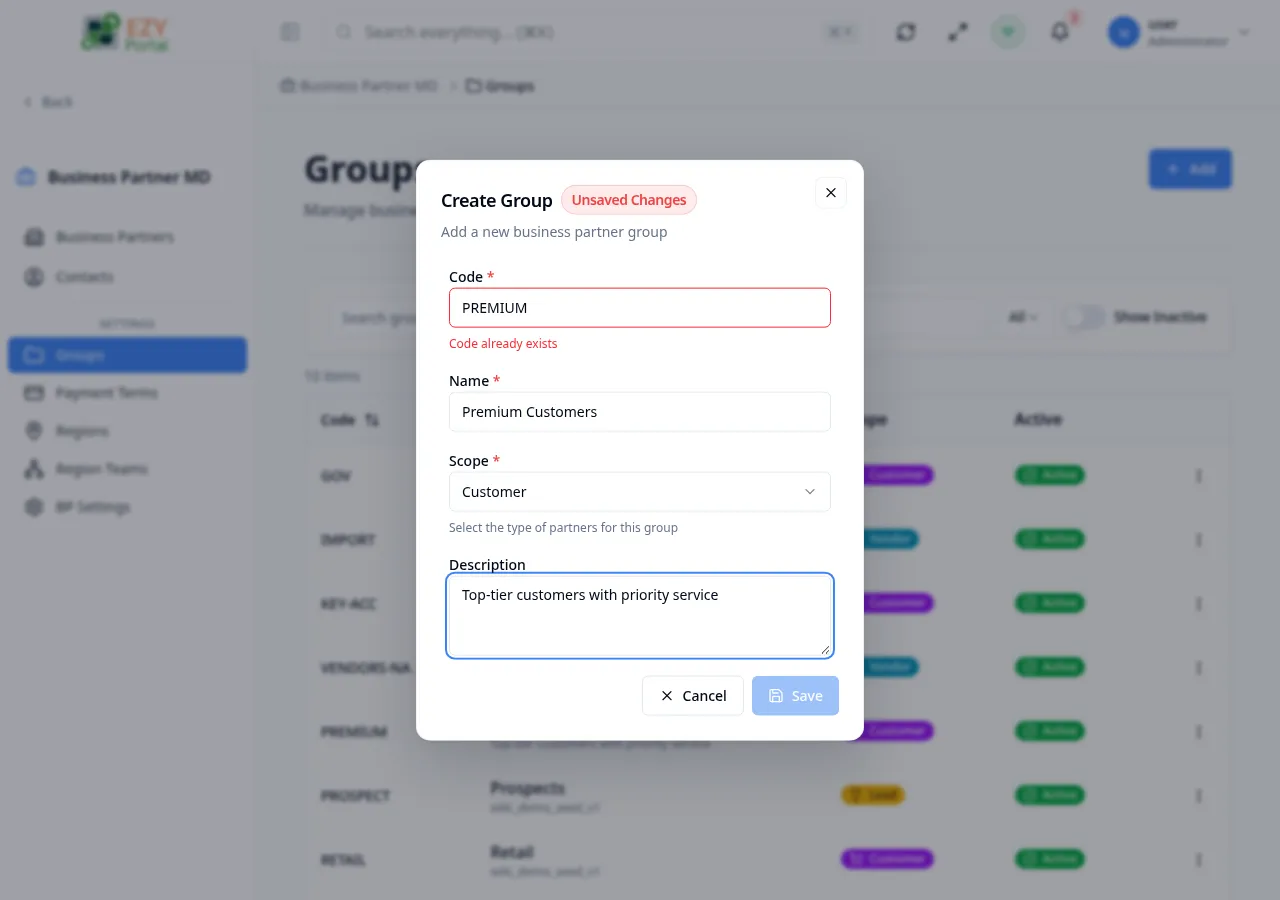
- Fill in the create dialog:
| Field | Required | Description |
|---|---|---|
| Code | Yes | Unique group code (max 50 characters). Auto-validated for uniqueness. |
| Name | Yes | Group display name (max 200 characters) |
| Scope | Yes | Partner type: Any, Customer, Vendor, or Lead |
| Description | No | Optional group description |
- Click Create to save
The code field validates in real-time — a green indicator confirms availability, red indicates a duplicate.
Scope Options
Section titled “Scope Options”| Scope | Description |
|---|---|
| Any | Group accepts any partner type |
| Customer | Group is for customer partners |
| Vendor | Group is for vendor partners |
| Lead | Group is for lead/prospect partners |
Editing a Group
Section titled “Editing a Group”Editing is available from the list page row actions and opens the edit dialog.
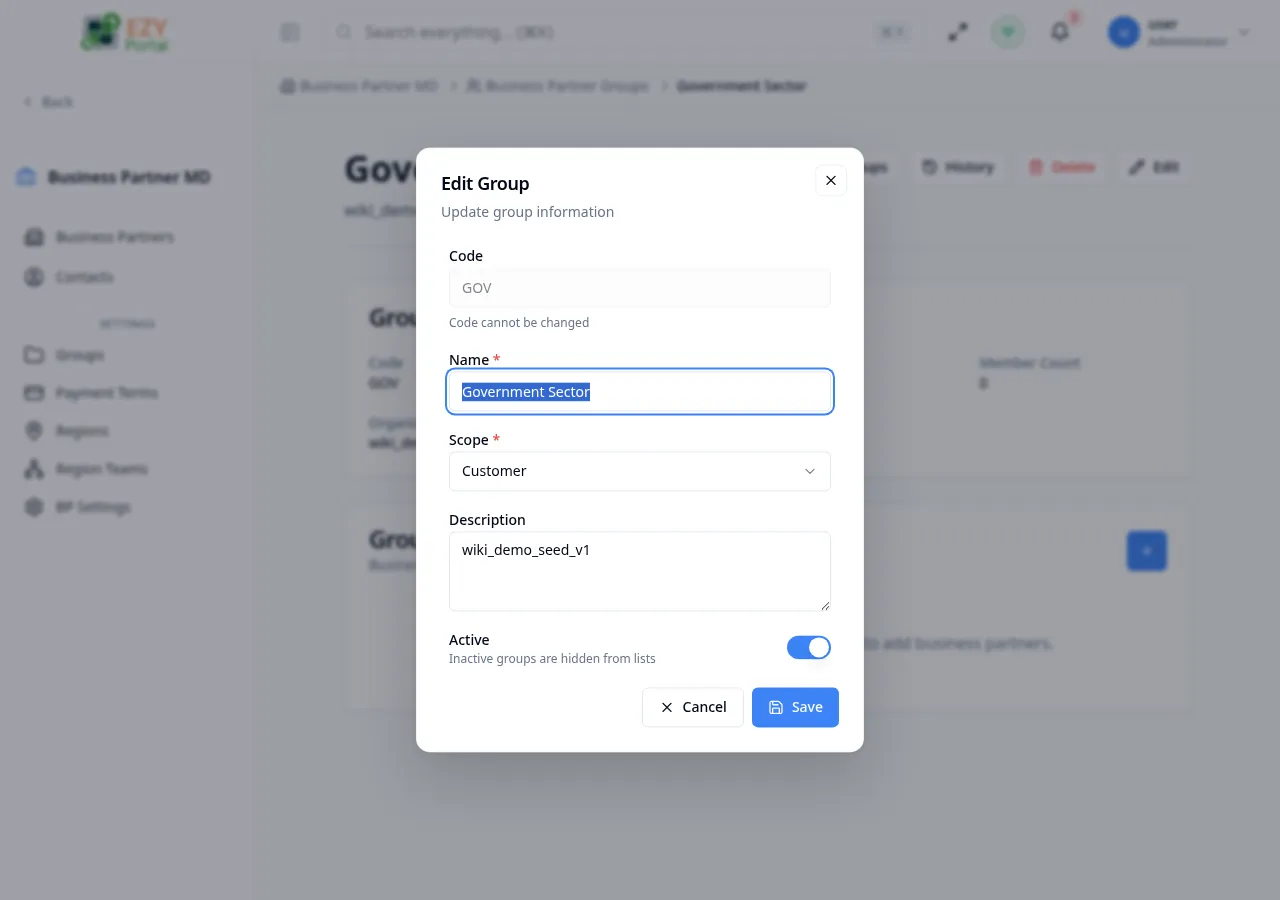
- Code is read-only after creation
- Scope becomes locked if the group has members — remove all members first to change scope
- Active toggle controls visibility in lists (inactive groups are hidden by default)
Deleting a Group
Section titled “Deleting a Group”Deleting a group removes all member associations. A confirmation dialog asks you to confirm before proceeding.
Related Pages
Section titled “Related Pages”- Group Detail — View and manage a specific group with members
- Business Partners — Main business partners listing
- Teams — Manage teams with region assignments
- BP Settings — Configure BP module defaults