AI Model Settings
The HR AI Model Settings page configures the AI operations used by HR features such as job description generation and interview question generation. Administrators can review available operations and select the model tier used by each operation.
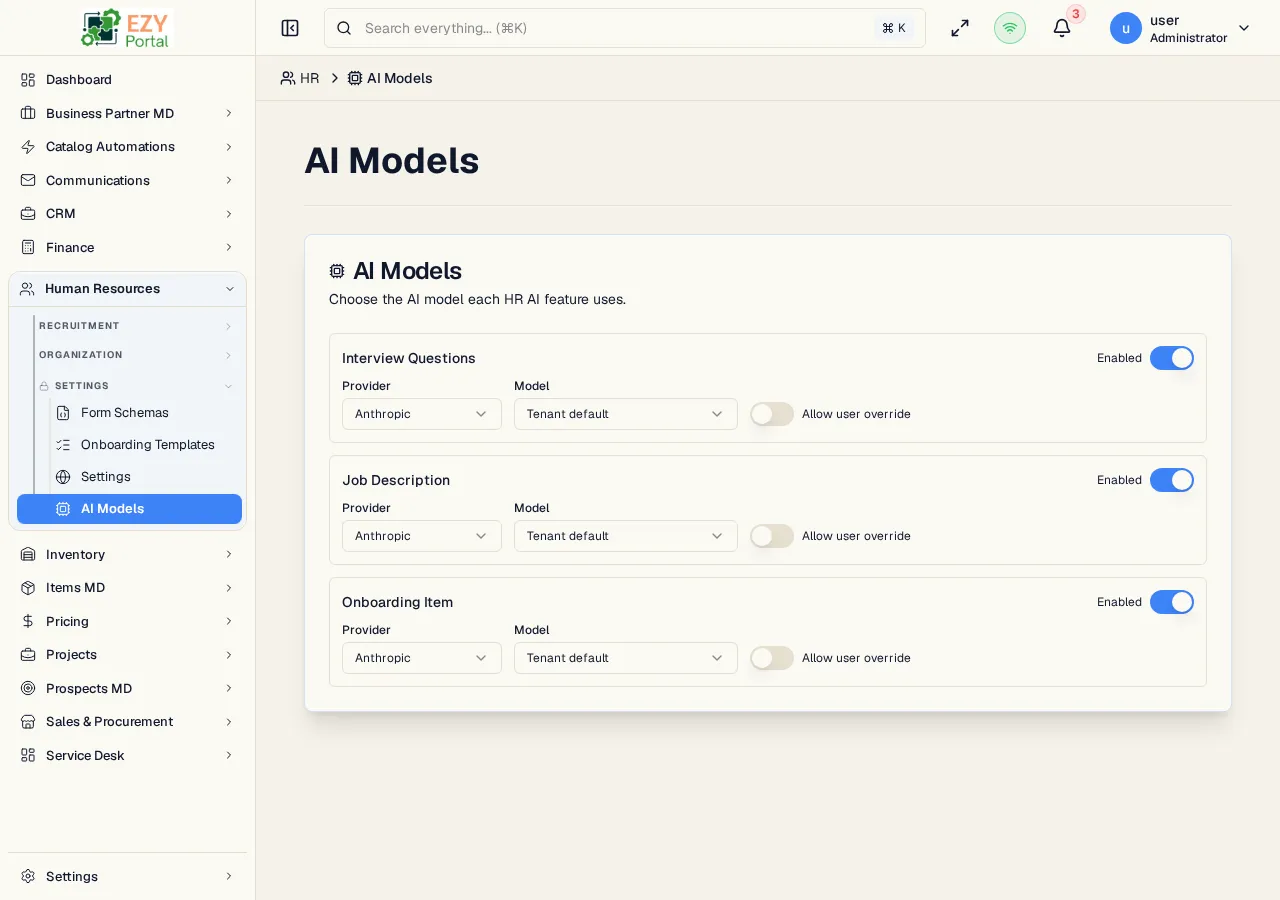
Accessing the Page
Section titled “Accessing the Page”- Route:
/hr/settings/ai-models - Menu Path: HR → AI Model Settings
- API base:
/api/hr - Primary audience: administrators who manage AI usage and model cost/quality tradeoffs.
What you can configure
Section titled “What you can configure”| Area | Description |
|---|---|
| Operation list | HR AI operations exposed by the service |
| Model selection | The model or tier assigned to each operation |
| Availability state | Whether an operation is configured and ready for use |
HR AI Operations
Section titled “HR AI Operations”| Operation | Used by |
|---|---|
| Job description generation | Create Job Posting and Edit Job Posting |
| Interview question generation | Interviews schedule dialog and detail panel |
- Model changes affect future AI requests only.
- If an AI request fails because quota, provider configuration, or model access is unavailable, the HR page shows the shared AI error notification.
- HR AI calls are scoped to the HR service API base.
Related Pages
Section titled “Related Pages”- Job Postings — Uses AI-generated job description sections
- Interviews — Uses AI-generated interview questions
- HR Settings — Careers page visibility settings