Create Payment to Vendor
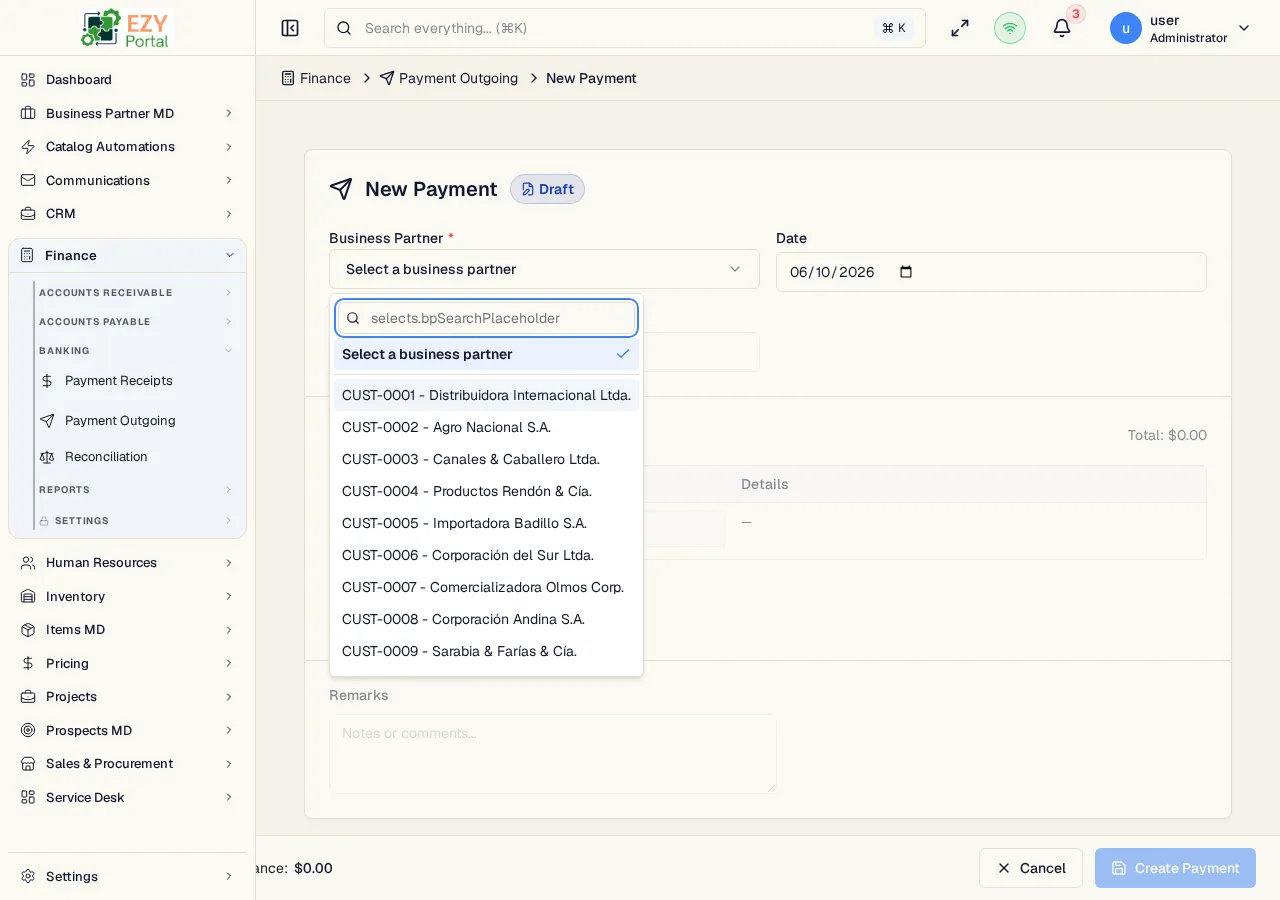
The Create Payment to Vendor page creates an outgoing payment in Draft status. It combines a vendor/customer header, one or more payment method lines, and an applications table that applies the payment to open target documents.
Accessing the Page
Section titled “Accessing the Page”From Payments to Vendors, click New Vendor Payment, or navigate directly to /finance/banking/payments/new. The legacy alias /finance/banking/payments/create opens the same form.
Prefill routes:
| Source | Route | Result |
|---|---|---|
| A/P Invoice | /finance/banking/payments/new?fromAPInvoice=:id | Locks the vendor and preselects the invoice application |
| A/P Reserve Invoice | /finance/banking/payments/new?fromAPReserveInvoice=:id | Locks the vendor and preselects the reserve invoice application |
| A/R Credit Memo refund | /finance/banking/payments/new?fromCreditMemo=:id | Creates a customer outgoing payment against the credit memo |
Form Sections
Section titled “Form Sections”| Section | Description |
|---|---|
| Header | Business partner, document date, optional payment type for dual-role partners, reference, and remarks |
| Payment Lines | One or more payment methods: cash, bank transfer, check, or credit card |
| Applications | Open target documents and applied amounts |
Save Behavior
Section titled “Save Behavior”| Action | Result |
|---|---|
| Create Payment | Saves a Draft payment and redirects to Payment to Vendor Detail |
| Cancel | Returns to the Payments to Vendors list |
Related Pages
Section titled “Related Pages”- Payments to Vendors — List and workflow reference
- Payment to Vendor Detail — Post, cancel, or delete a payment
- Edit Payment to Vendor — Update a Draft payment
- A/P Invoices — Vendor invoices that can be paid
- A/P Reserve Invoices — Reserve invoices that can be paid